EDII SchoolNew

You asked for one app.
We heard you.

EDII School is one app for everyone who works at your school — teachers, the gate, the library and the office. One sign-in, and each person opens straight into their own work.

Free to download. Sign in with the user ID your school gave you. · Why we built it

01 · What you told us

Too many apps, registers and phone calls. One app now.

Schools told us their staff were juggling a different tool for every job. So we put the whole staffroom, the gate and the library desk into one app.

The school day, before

  • A different app or login for every job
  • A paper visitor register at the gate
  • A ledger at the library desk
  • A phone call to the office for every early pickup
  • Feedback for 40 notebooks, written one by one

The school day, now

EDII SchoolOne app · one sign-in · four workspaces
  • Teachers: today, attendance, homework, marks and lessons
  • Gate: visitors, host approval, passes and exit passes
  • Library: issue, return, reservations and reminders
  • Office: approve exit passes and see who collected whom
  • EDII drafts the writing. You decide.
4

workspaces in one app: Teacher, Gate, Library and Office

1

sign-in, the user ID your school already gave you

0

ads, and no tracking across other apps or websites

Phones & tablets

Android today. iPhone and iPad this weekend.

02 · Four workspaces

Same app. Your work.

Each person sees only what their role allows, and your school’s own rules, such as exam edit locks, apply in the app too.

EDII School · Teacher
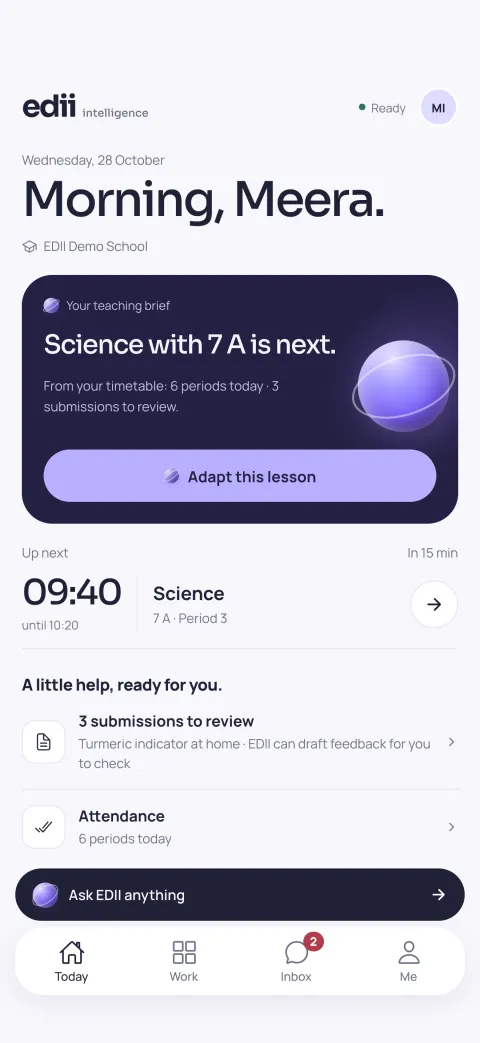
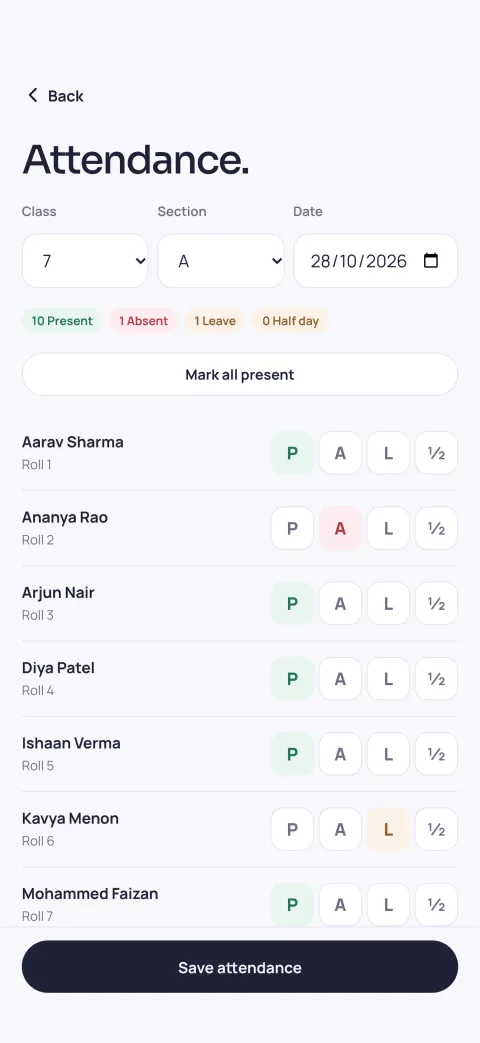
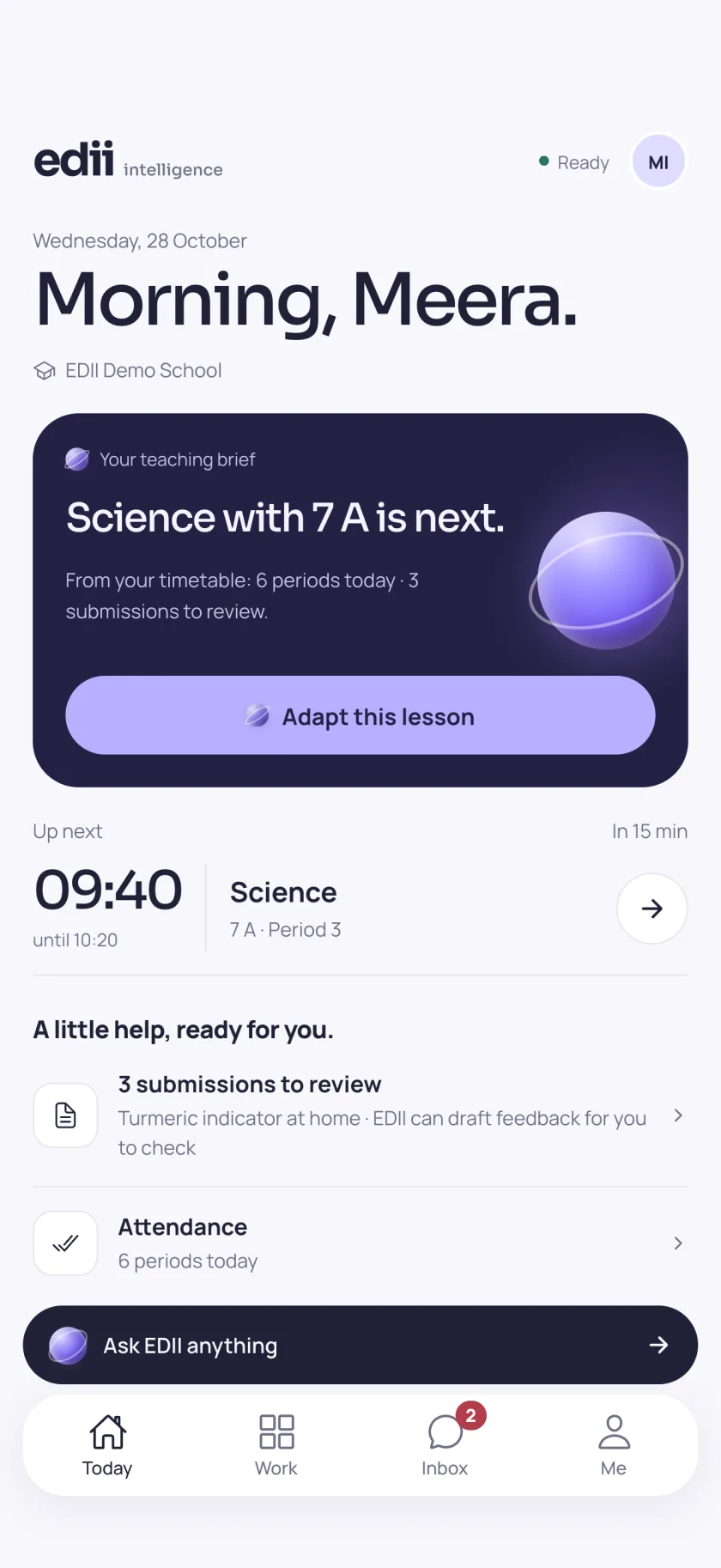
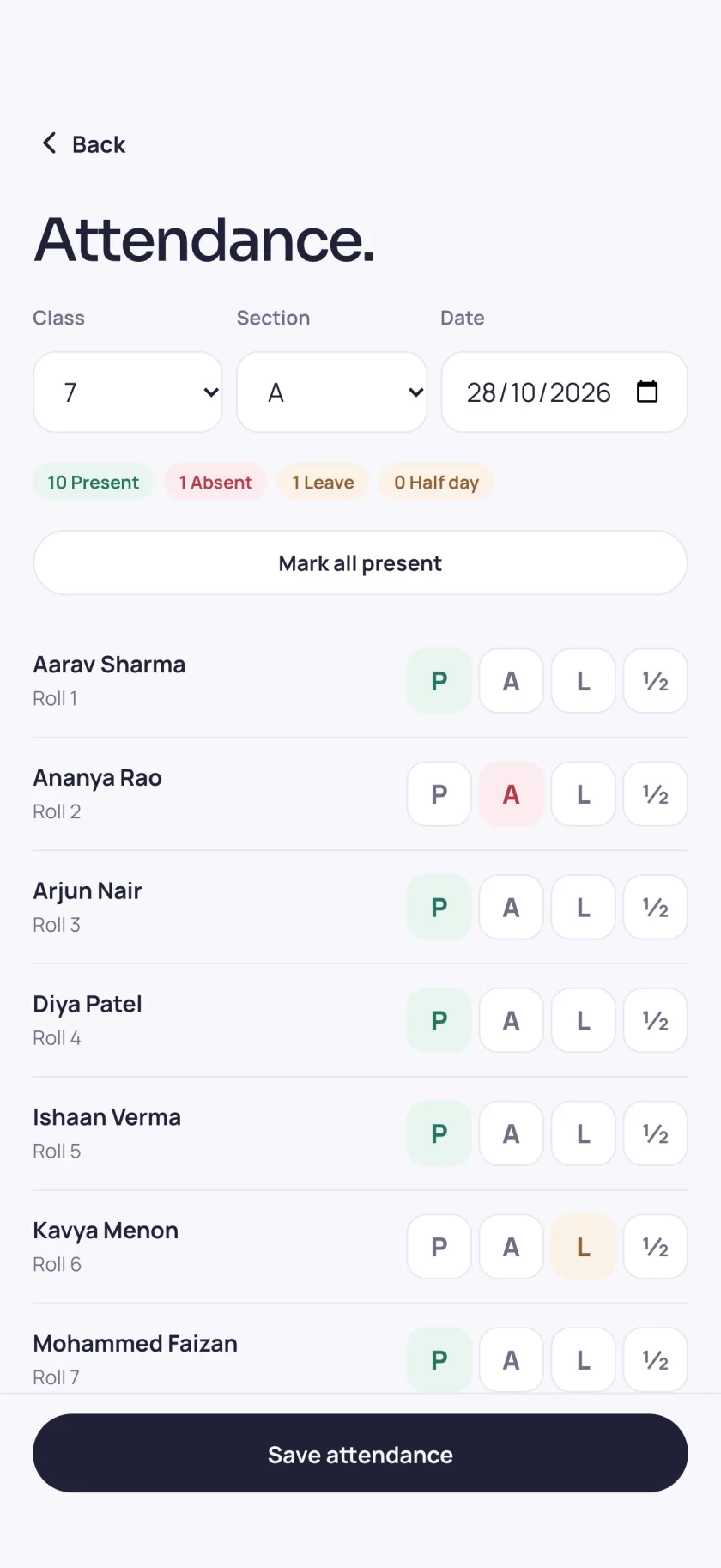
Teacher Today screen: the next class, submissions to review and attendance to takeAttendance register for class 7 A with present, absent, leave and half-day buttons

01For teachers

Open the app. Your next class is already there.

Today shows your next period and what needs you. Mark the register and save it in one go. Set homework with photos or PDFs, see who has submitted and review each answer. Enter marks, absent codes included, check no student is missed, then publish. The lesson studio adapts today’s lesson for your class, or turns it into a worksheet that becomes homework.

  • Today & timetable
  • Attendance in one save
  • Homework & review
  • Marks, then publish
  • Lesson studio
  • Students & parent updates
EDII School · Gate
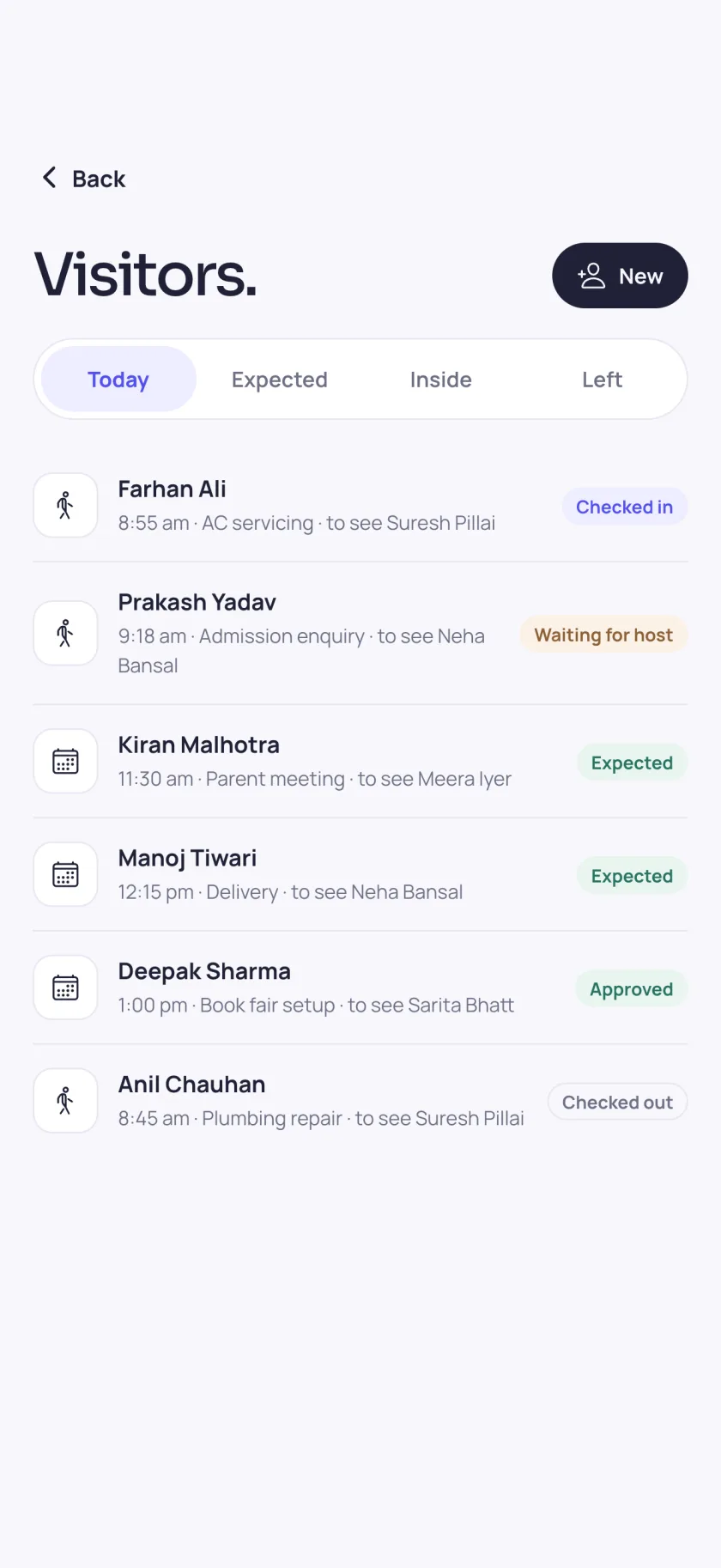
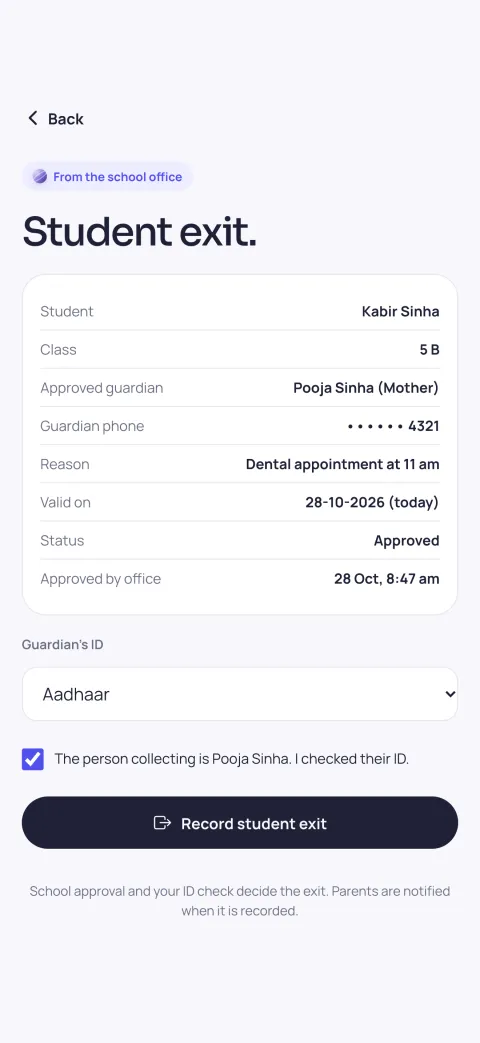
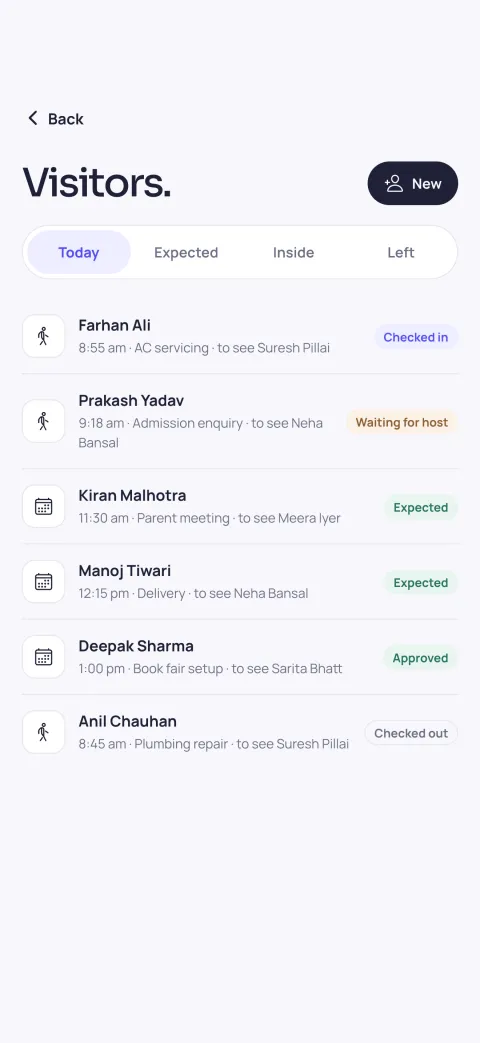
Visitors list for today: checked in, waiting for host, expected, approved and checked outStudent exit pass approved by the office, with the guardian’s ID to check before the child leaves

02For the gate

Know who is at the gate, and who sent for them.

Expected visitors and walk-ins sit in one list. The person being visited approves on their own phone before the visitor is let in. Confirm the visitor’s ID, issue the pass and check them out when they leave. For a student going home early, the office approves first and the guard checks the person collecting the child.

  • Visitors in one list
  • Host approves on their phone
  • ID check, pass, check-out
  • Student exit passes
  • Incident reports
  • Shift handovers
EDII School · Library
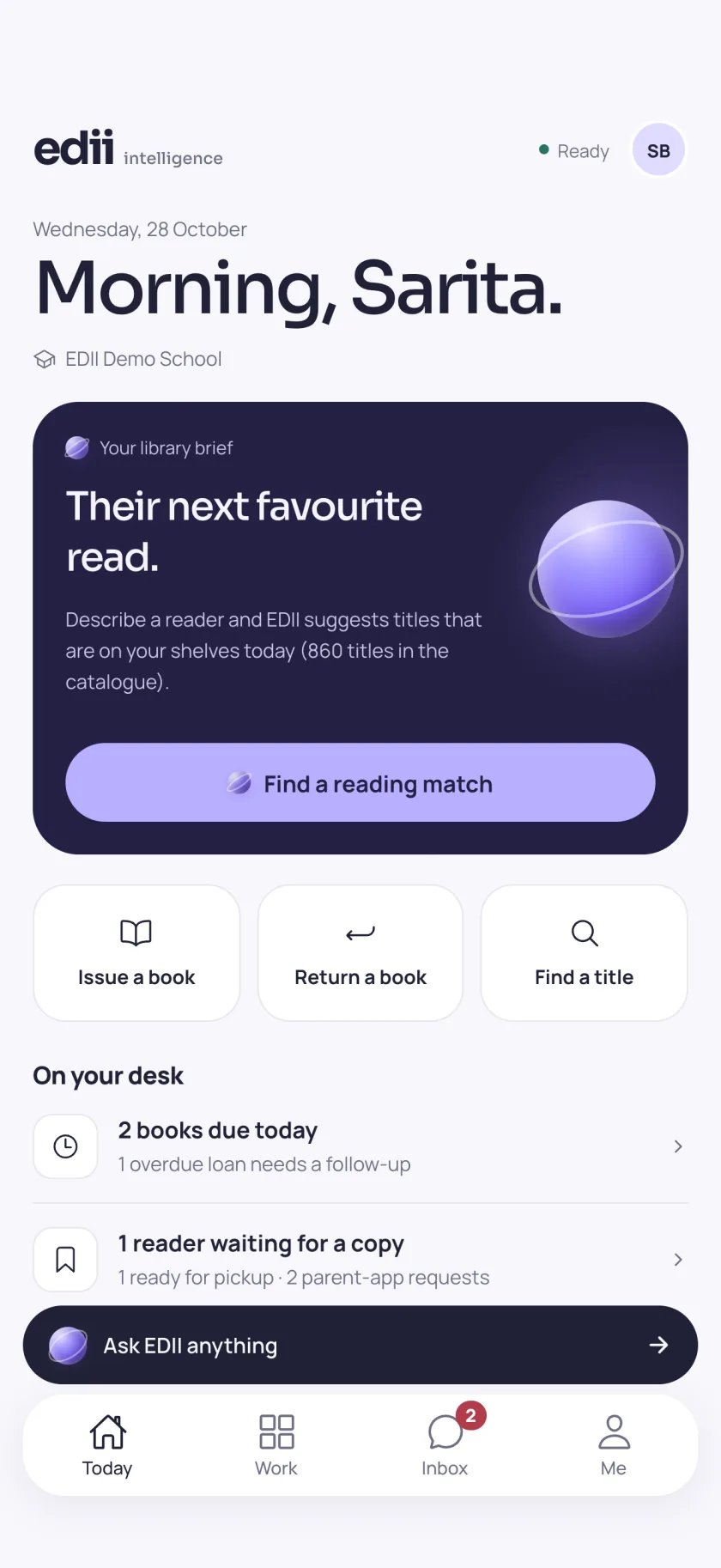
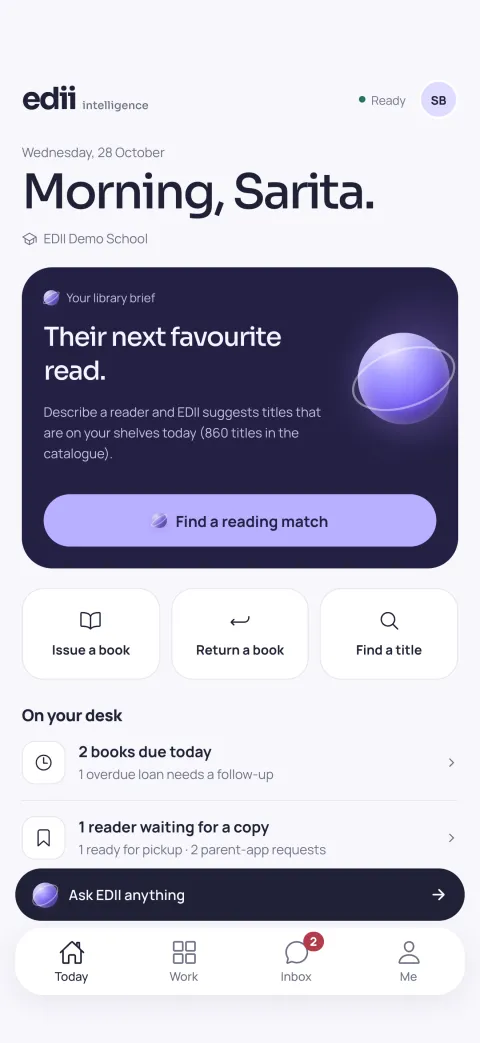
Library Today screen: issue, return and find a title, books due today and a reader waiting for a copy

03For the library

The library desk, in your pocket.

Issue, return and renew in a few taps, with borrowing limits checked for you. Keep a returned book back for repair and put it back on the shelf when it is fixed. Reservations come with a pickup notice when the copy returns. Due today, due soon and overdue lists send reminders in English or Hindi.

  • Issue, return, renew
  • Hold for repair
  • Reservations & pickup
  • Reminders, English or Hindi
  • Reading matches from your shelves
  • Reading-hour plans
EDII School · Office
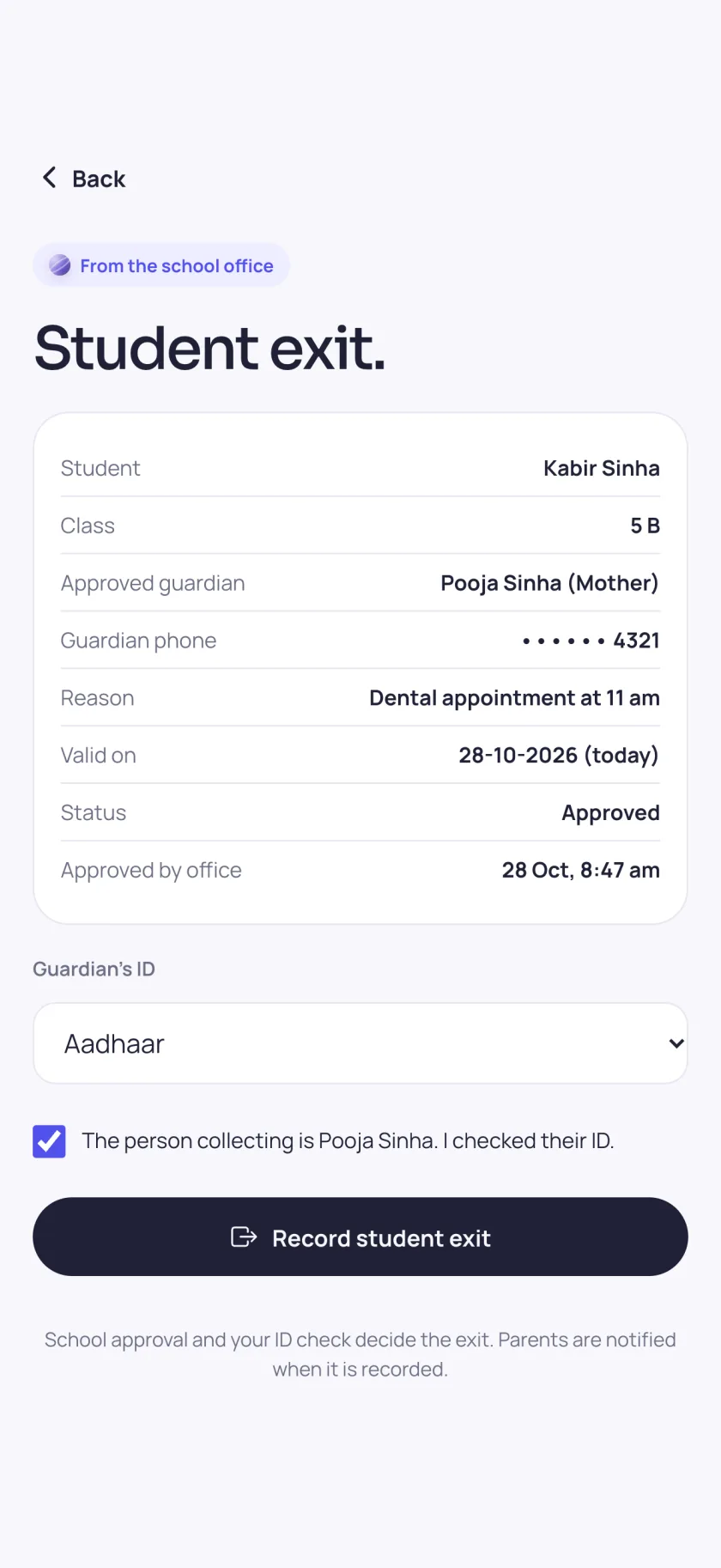
Student exit pass with the approved guardian, reason, date and the office approval time

04For the office

Early pickups, approved before anyone reaches the gate.

Create and approve student exit passes with the guardian, the reason and the date. The gate sees the approval, checks the guardian’s ID and records the exit, and parents are told when it is recorded. You can see when each child left, and with whom.

  • Create exit passes
  • Approve in a tap
  • Guardian checked at the gate
  • Who left, when, with whom
EDII School · AI drafts
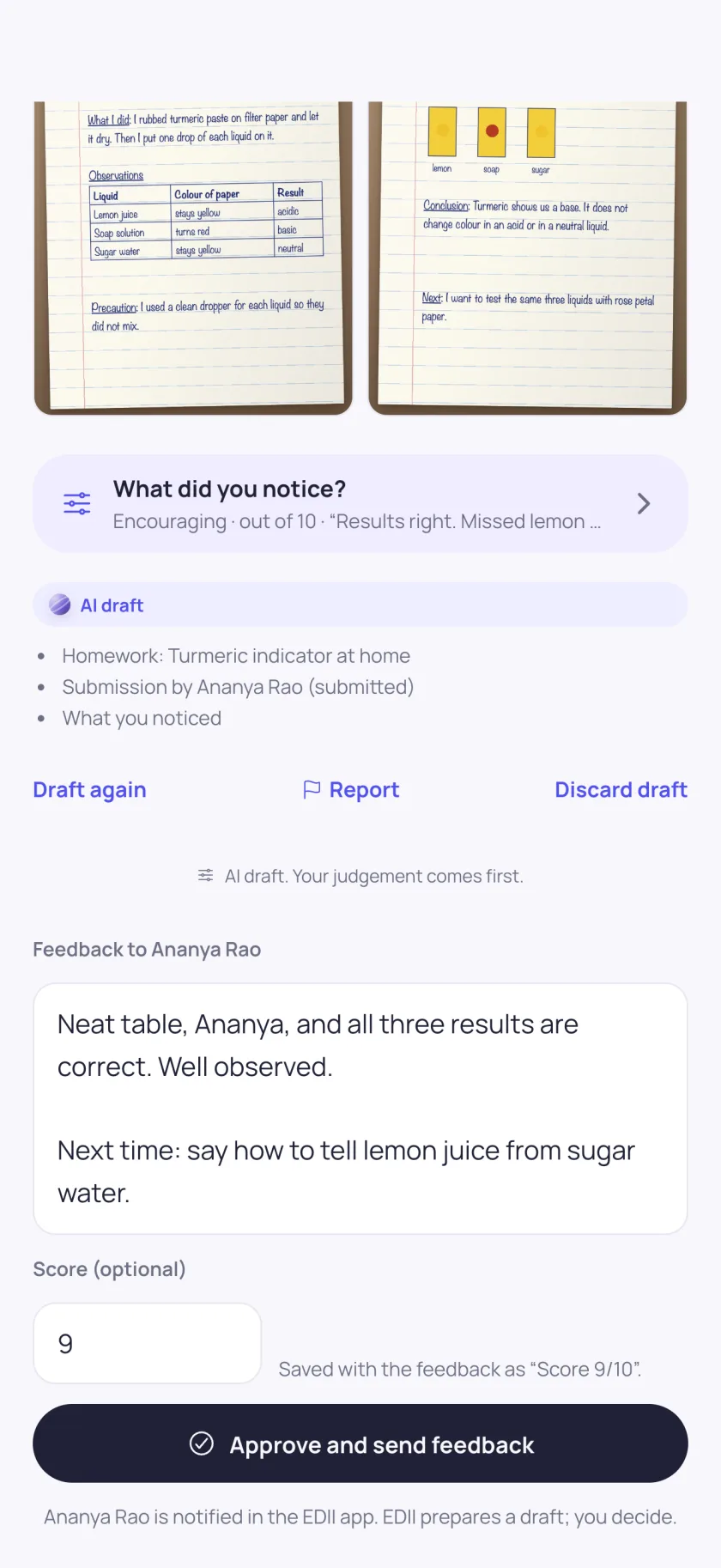
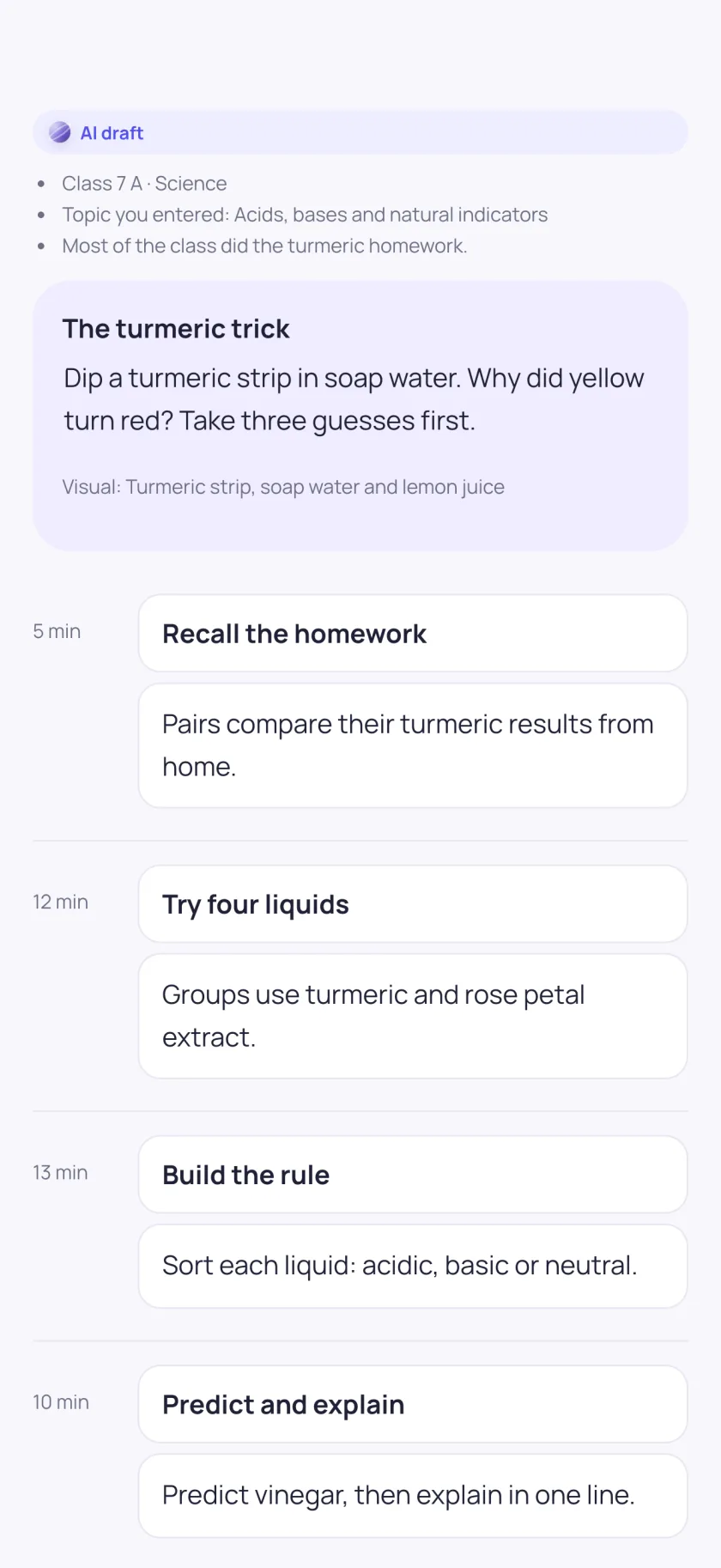
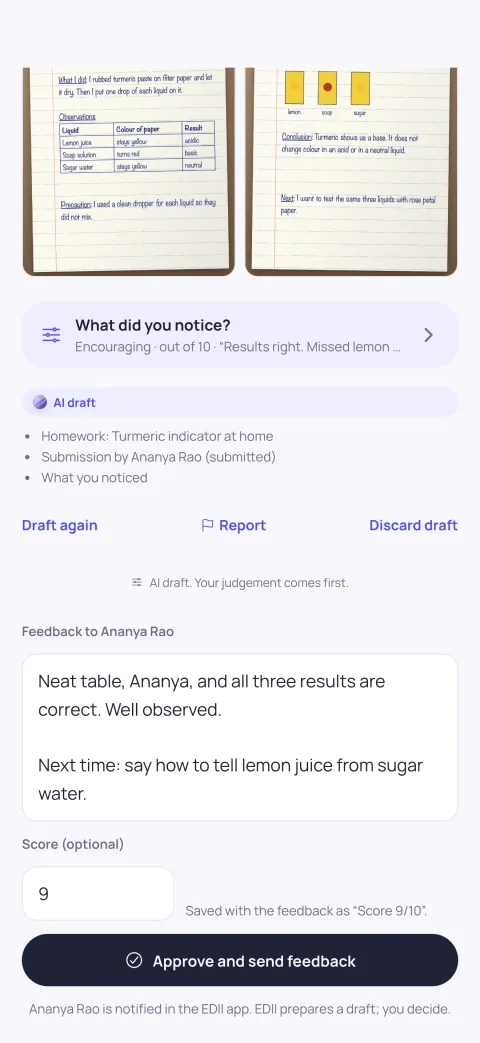
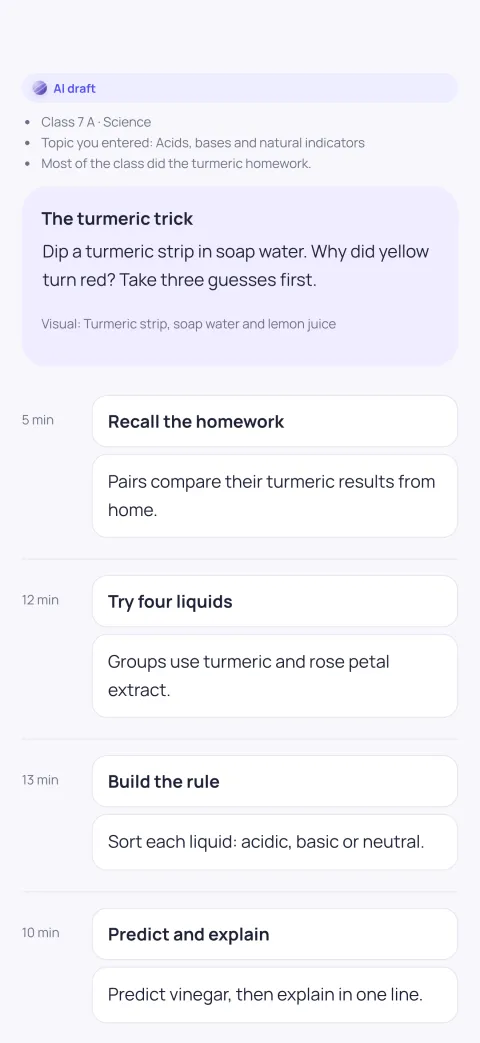
Homework review with an AI draft of the feedback, the sources it used and an Approve and send feedback buttonLesson studio AI draft: a 40-minute plan built on the class’s own homework

03 · AI that waits for you

AI draft

EDII drafts. You decide.

EDII can draft homework feedback, a lesson plan, an incident report, a shift handover or an update for parents. You read it, change what you like, and only then does it go anywhere. Your judgement comes first, every time.

  • Homework feedback
  • Lesson plans & worksheets
  • Incident reports
  • Shift handovers
  • Parent updates
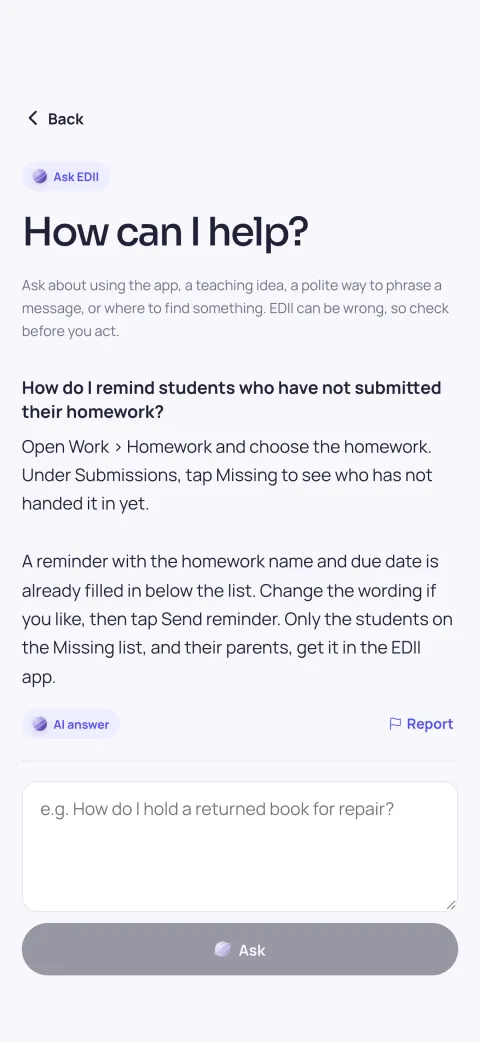
  • Ask EDII, inside the app
01

Marked as an AI draft

Every draft says it is one, in plain sight.

02

Shows what it used

The homework, the class and the notes it was based on.

03

Nothing goes out on its own

Not to students, not to parents, not into records, until you confirm.

04 · Built for every screen

Phone at the gate. Tablet on the desk.

The same app on a guard’s phone, a teacher’s tablet and the library counter, with an inbox for school notifications, punch in and out at schools that use app attendance, and dark mode for the evening.

  • Inbox & notifications
  • Ask EDII anything
  • Punch in & out
  • Light & dark mode
EDII School · iPad
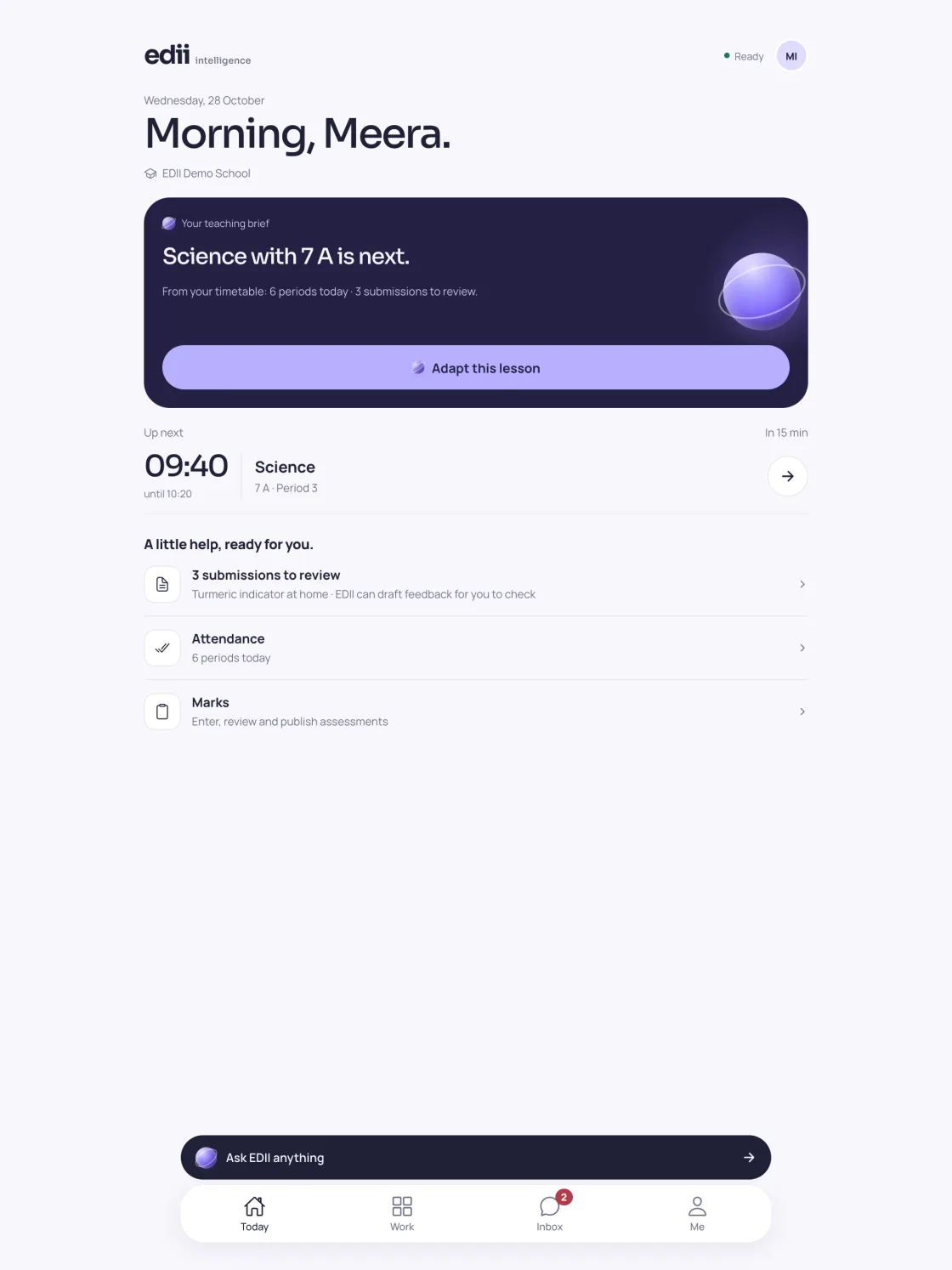
EDII School Today screen on an iPad

05 · EDII School

Every screen here is the real app.

No mockups. No stock photos.

EDII School1 / 8
Teacher Today screen
TodayYour next class and what needs you.
EDII School2 / 8
Homework review with an AI draft
Homework reviewEDII drafts the feedback. You approve it.
EDII School3 / 8
Attendance register
AttendanceThe register, saved in one go.
EDII School4 / 8
Visitors at the gate
VisitorsExpected, inside and left, in one list.
EDII School5 / 8
Student exit pass
Student exitOffice approves, the gate checks the guardian.
EDII School6 / 8
Library Today screen
LibraryIssue, return and the day’s desk.
EDII School7 / 8
Ask EDII screen
Ask EDIIHelp with the app, or a teaching idea.
EDII School8 / 8
Lesson studio plan
Lesson studioToday’s lesson, adapted for your class.

Real screens from EDII School 1.0.0 with sample data, captured 26 October 2026

06 · Questions staff ask

Before you download.

Who is EDII School for?

Everyone who works at a school on EDII: teachers, gate and security staff, librarians and the school office. Each person sees only the workspaces their role allows.

How do I sign in?

With the user ID and password your school gave you. There is no sign-up in the app: your school creates your account in EDII. Ask the school office if you do not have one.

When is it on the iPhone?

EDII School is free on Google Play now, and arrives on the App Store for iPhone and iPad this weekend.

Does the AI send anything on its own?

No. Each draft is marked as an AI draft and shows what it was based on. Nothing reaches students, parents or the school’s records until you confirm it, and every AI answer has a Report button.

Does it show ads or track me?

No. EDII School shows no ads, does not track you across other apps or websites, and sends no usage analytics. Location is read only at the moment you tap Punch in or Punch out, at schools that use app attendance. The details are in our privacy policy.

One school. One app.

Teachers, the gate, the library and the office, in one app your whole staff signs in to.

Read the story: why we built one app →

WhatsApp us