 EDII
EDII
EDII Admissions · the season, on the school operating system
Enquiry to
admitted.
Nothing retyped.
Families apply from your website or the EDII parent app. The office sees every child's stage on one board, the entrance test runs online and marks itself, and one Admit button makes the student record. On the same login as fees, attendance and the parent app.
01 · For the admission office
The whole season on one board, ending with a button.
Enquiry, application, documents, fees, test, merit list, admission. Each child moves across one board, and when the seat is taken the student record is created from the application. Nobody types a child in twice.
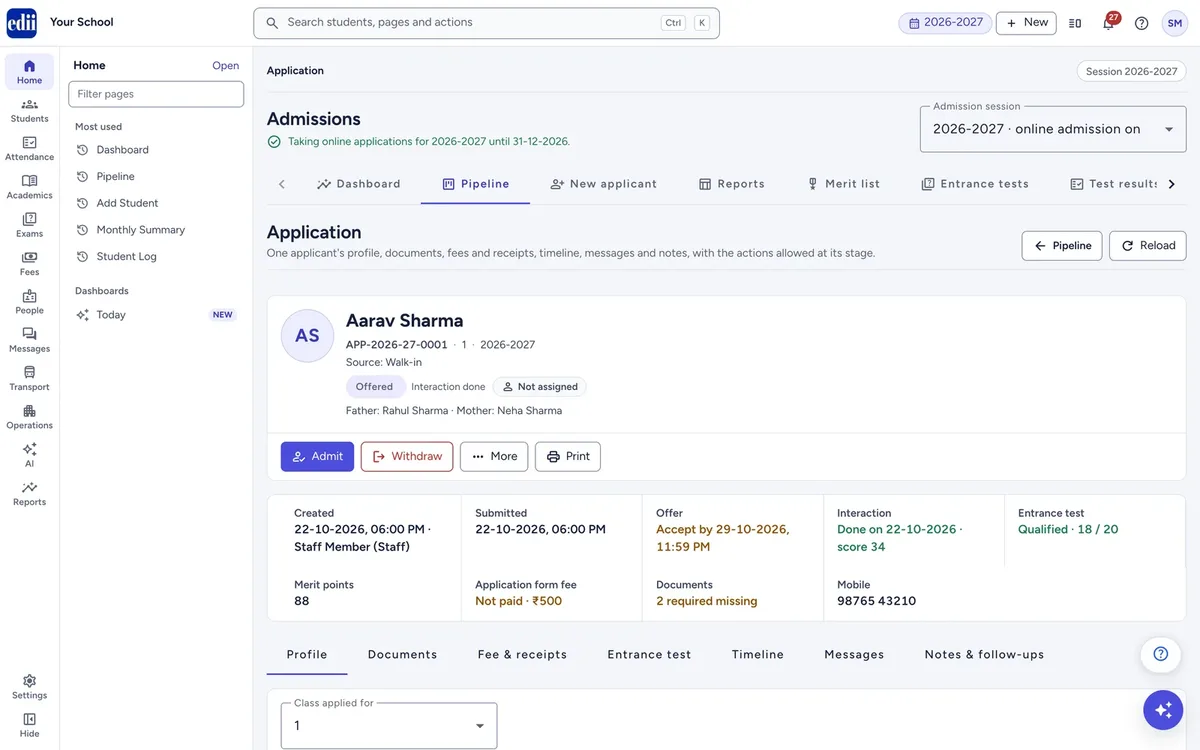
Set the season up once, on your own form.
Switch online admission on, set the dates it runs, and say where families may apply: at the office, on your admission page, in the EDII parent app. Per class: seats, form fee, admission fee, an age rule and the documents to upload.
- ✓Arrange the form yourself: reorder sections, hide fields, add your own questions
- ✓Merit criteria, application numbering, consent text and the messages families get
- ✓Copy last season's settings, and keep online admission off until you are ready
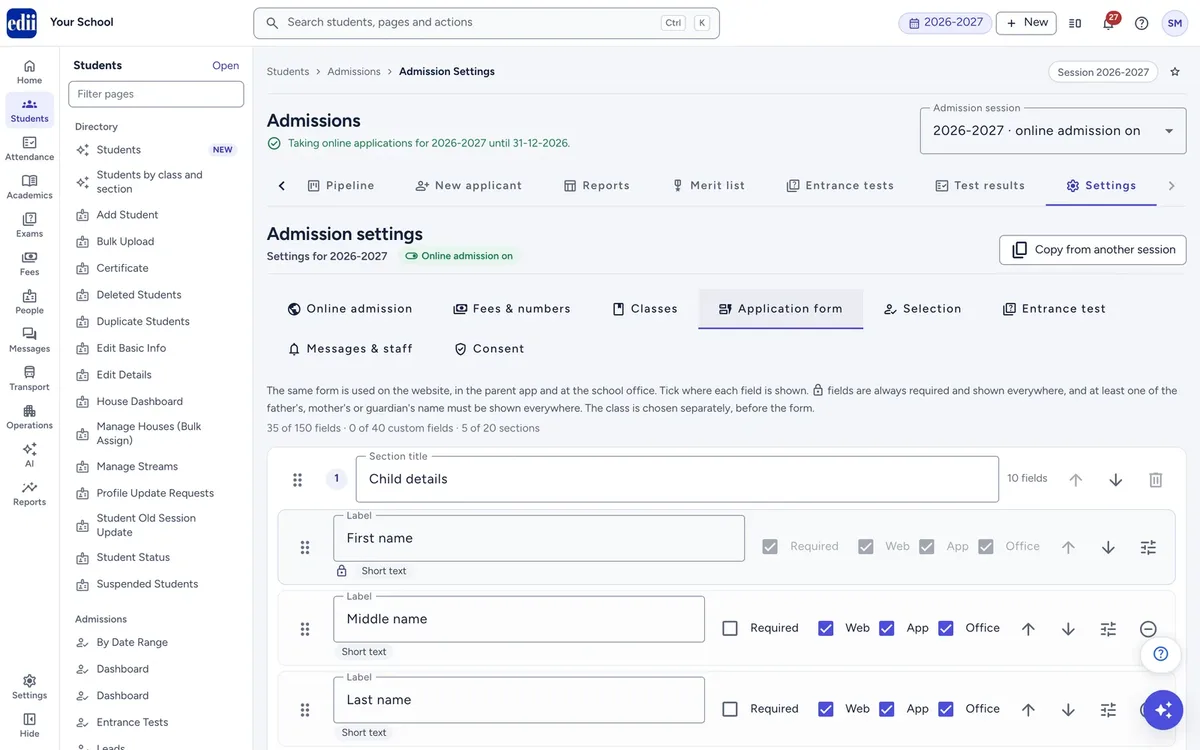
Every child's stage, obvious at a glance.
One column per stage: Enquiry, Draft, Applied, Under review, Offered, Waitlisted, Admitted, Not selected, Withdrawn. Drag a card to move it, or work in a table with search, filters and sorting.
- ✓Select up to 200 applications to assign, move, ask for documents or message in one go
- ✓Saved filters for the views you open every morning
- ✓A separate Leads desk for walk-ins and phone enquiries, with call and WhatsApp follow-ups
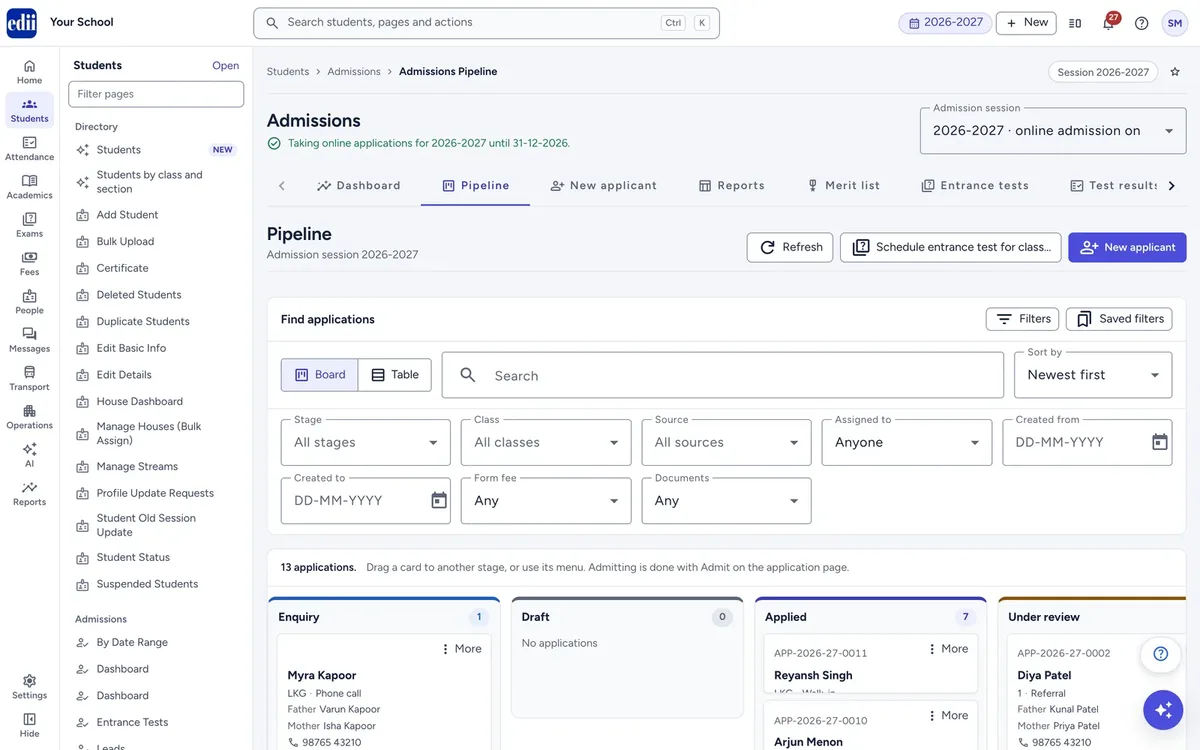
Know where the season stands, any morning.
Applications by stage, by class with seats against applications, offers and admissions, and by source. Applications per day, fees collected, and the follow-ups due today.
- ✓Reports by date, stage, class and source, with your columns, to Excel or A4
- ✓Merit lists per class, published so each family sees its own position
- ✓The EDII Admin app shows the funnel, seats left and today's enquiries on your phone
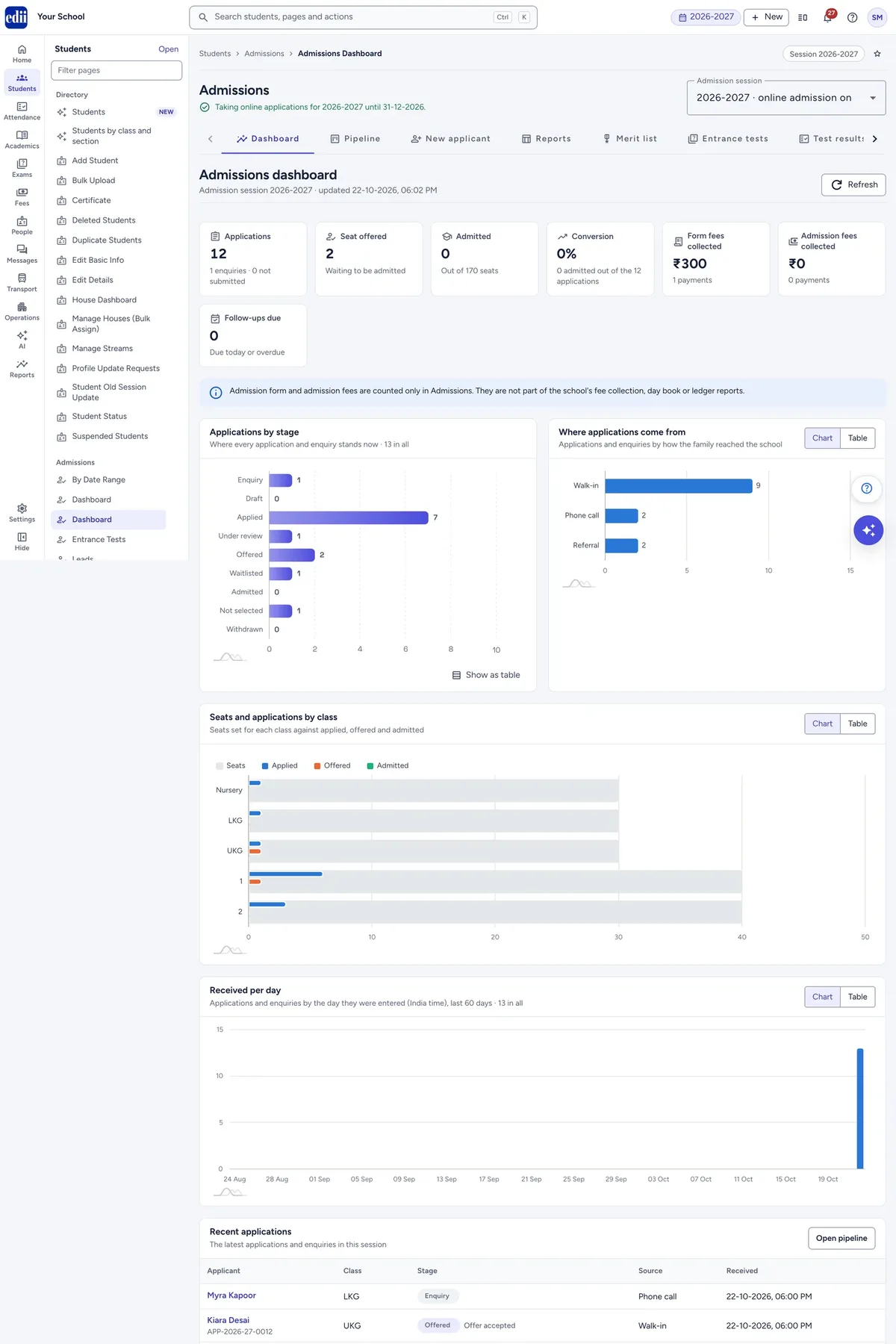
Admit. The student exists. Nothing retyped.
Once a seat is offered, choose the section, check the student ID and confirm. The student is created from the application, with a link straight to the new profile. Details with no place in a student record stay on the application.
- ✓A walk-in enquiry takes ten seconds in New Applicant; a full application uses your own form
- ✓A former student's details fill in from their enrolment number, student ID, Samagra ID or PEN
- ✓Your existing Admission pages stay where they are; the new section sits beside them
02 · The entrance test
An entrance test that runs itself.
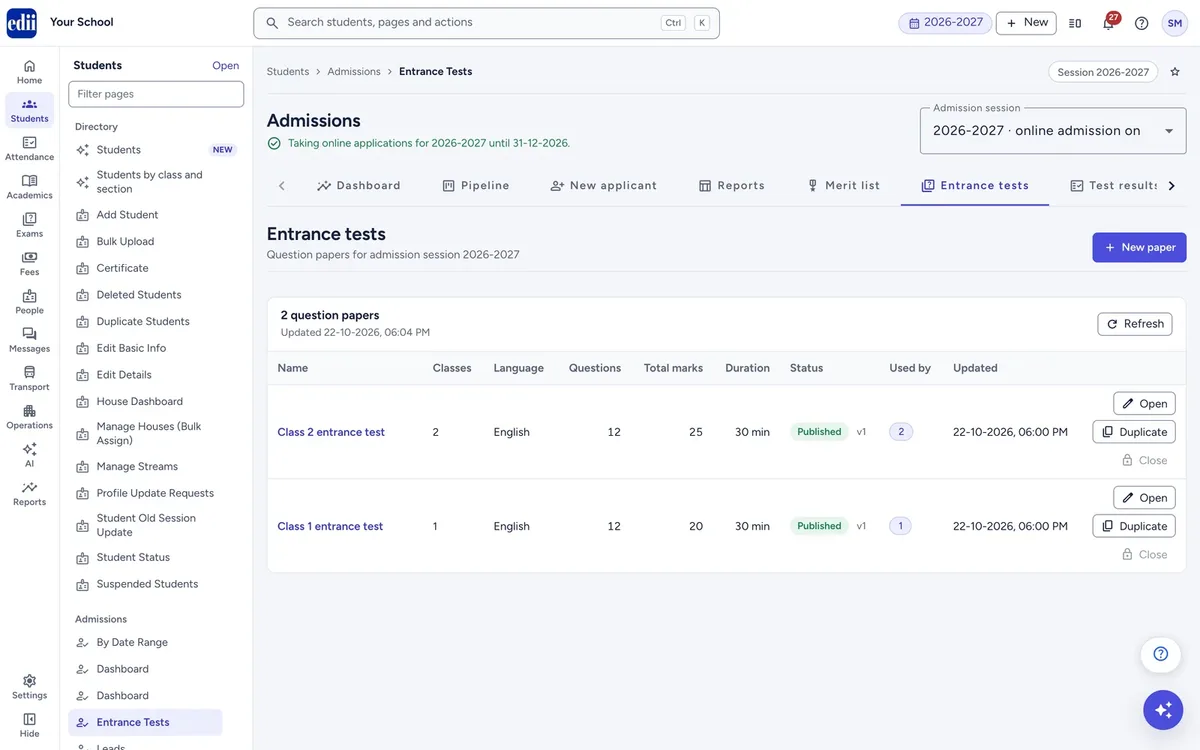
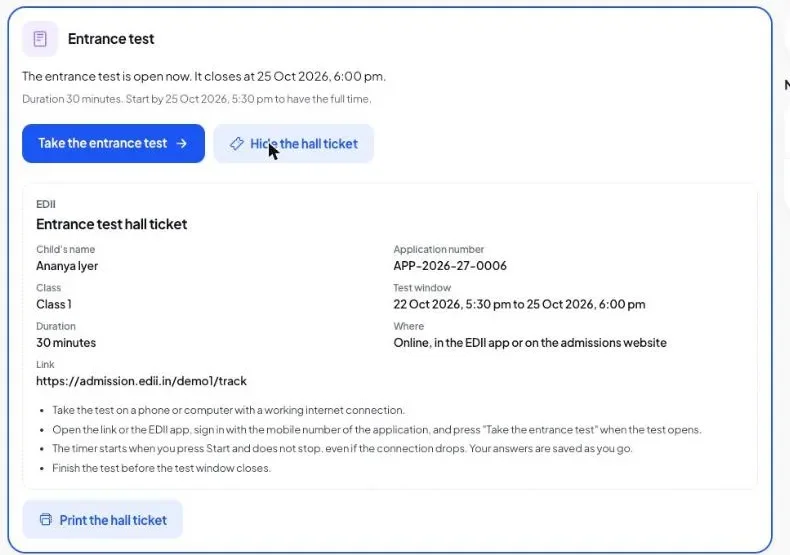
Switch it on per class, build the paper, schedule the class. The family gets the date, the time window and the link. The child takes a timed test at home, and the marks, the rank and the result are ready when the window closes.
Build the paper in an afternoon.
Multiple choice, true or false, fill in the blanks and match the pairs. Paste questions in or import them from the question bank, check each one, publish, and duplicate the paper for another class.
- ✓Per class: the paper, the window, the duration, the pass marks, and what parents see afterwards
- ✓Schedule a whole class, or the applications you select, from the pipeline
- ✓Hall ticket by email and in the EDII app, with the link to the test
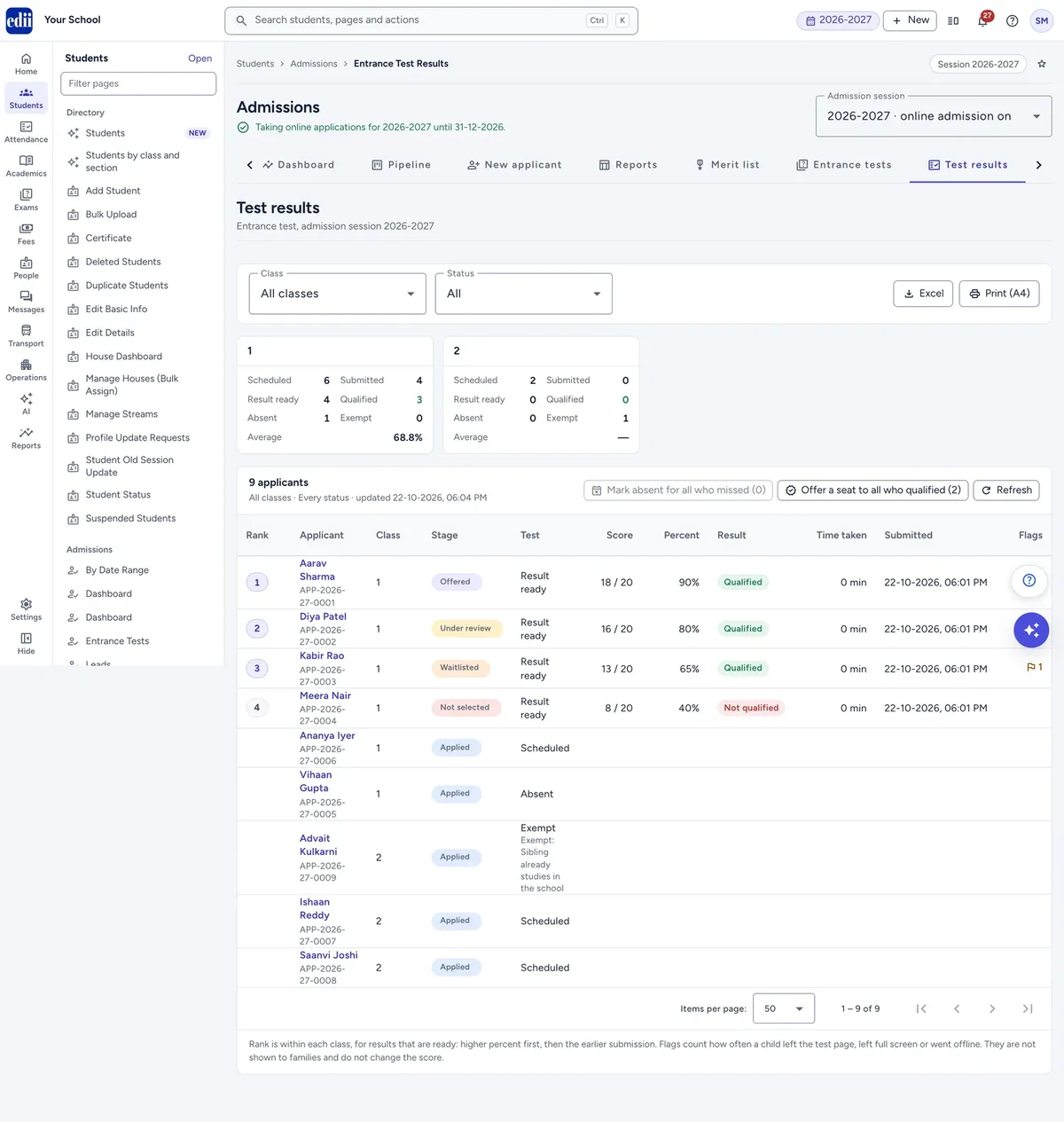
Marked before the office opens.
The test is timed on our side, saves as the child answers, and marks itself when it is submitted or the time runs out. No hall to book, no pile to mark, no list to type.
- ✓Marks, pass or not, time taken and rank per class, with Excel and print
- ✓Each application has an Entrance test tab with the child's answers: reset a test, mark a child absent, offer the seat
- ✓Merit lists can rank on the test score, or on the points your own criteria give
- Build and publish the paperObjective questions, pasted in or imported from the question bank.
- Schedule the classDate, window, duration and pass marks per class. Families get the hall ticket.
- The child takes it at homeIn the EDII parent app or on your admission page, timed, auto-saved.
- Rank, result, seatMarks and rank when the window closes. Offer seats to the qualified.
Objective questions in this version. Children take the test in the EDII parent app or on your admission page; a test taken at the school on a PIN is next.
03 · For families
Apply from your website, or from the EDII app.
Your school has its own admission page at admission.edii.in, live the day you switch online admission on. The EDII parent app lists every school taking applications, with a map, so families who already use EDII find you without a link.
Find the school. Apply for the child. Track the application.
Families sign in with their phone number, fill your form, upload the documents, pay the form fee online and see which stage their application is in. One account covers all their children.
- ✓Near me on the map, directions to the gate, and Apply from the pin
- ✓Told at every stage, by email and as an EDII app notification
- ✓The entrance test, the hall ticket and the result, in the same place
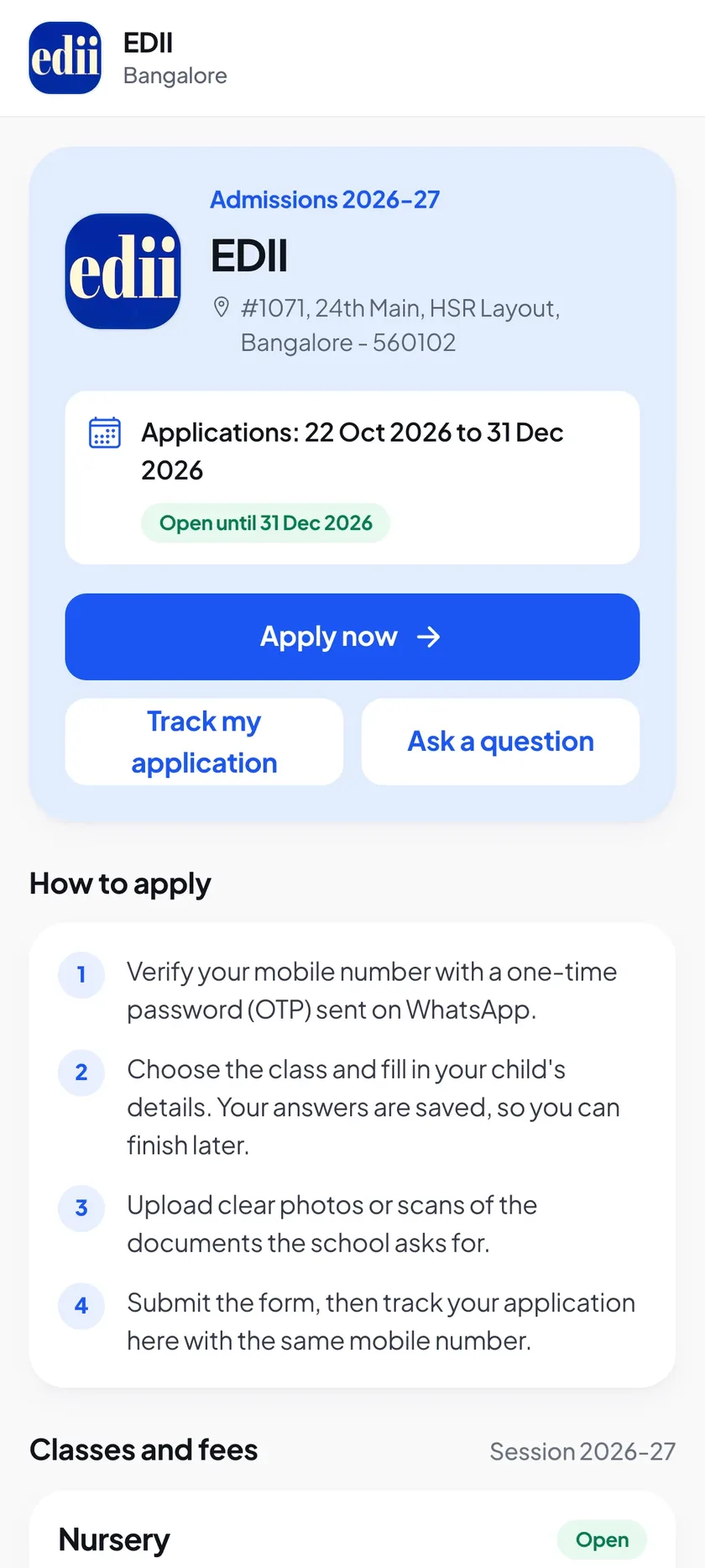
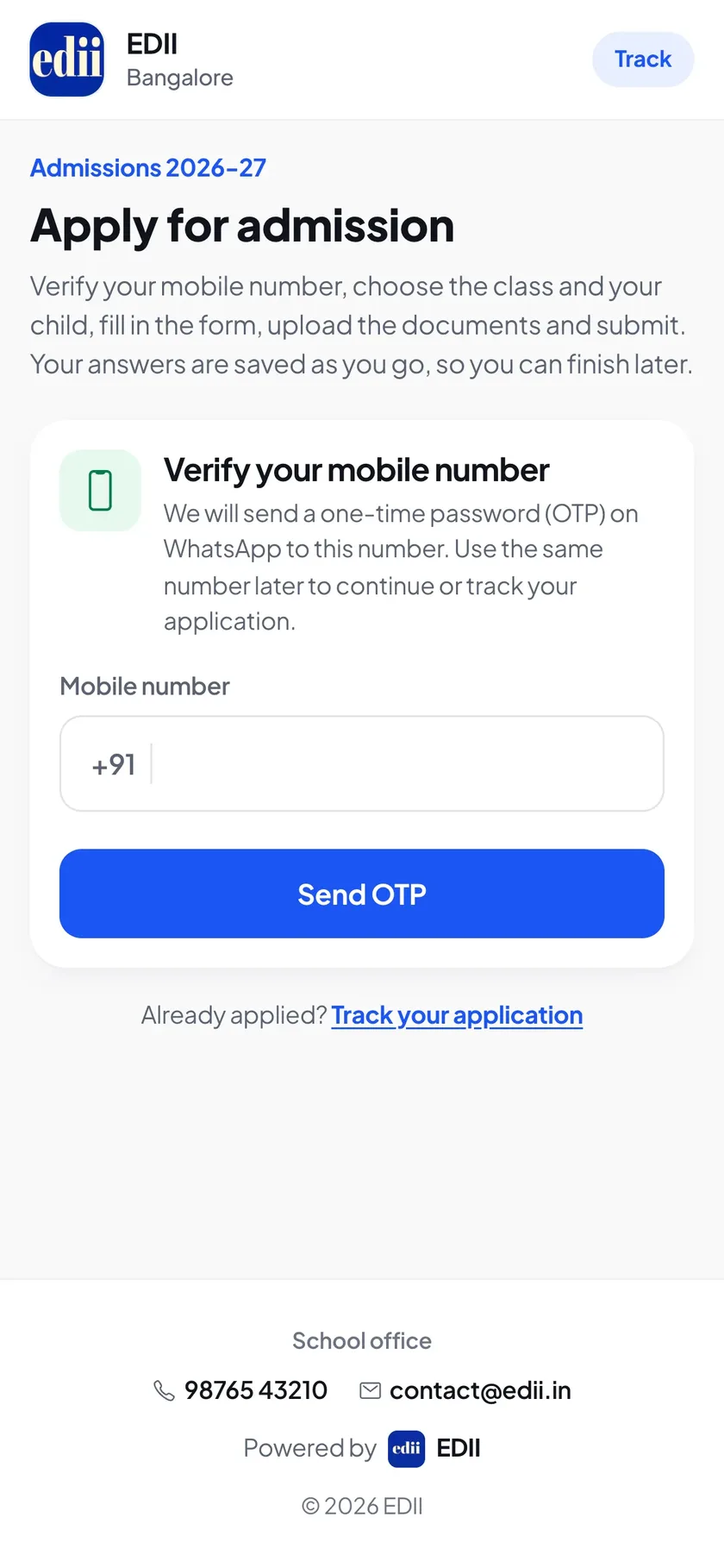
One link, one hall ticket, one result.
The schedule message carries the window, the duration and the link. The hall ticket is a page the family can keep. The result shows what you chose: qualified or not, the marks, or nothing until you say so.
- ✓A family that applied at your office is told the same way, once you have their email
- ✓Documents asked for again are uploaded from the phone, not brought to the gate
- ✓The seat offer, the admission and the fee received, each confirmed
04 · Questions
What schools ask first.
Do we need our own website for this?
No. Your admission page at admission.edii.in is live the day you switch online admission on, with your classes, seats and dates. If you have a website, its Apply button points there.
Can the office still take admissions on paper?
Yes. New Applicant records a walk-in or a phone call in seconds, or a full application on your own form, and it joins the same board as the online ones. Settings decide whether families may also apply on the admission page or in the app.
Is the form fee collected online?
Yes, by card, UPI or net banking, with a confirmation to the family. Cash, UPI and cheque taken at the office are recorded on the application and printed as a receipt. Admission money is kept apart from the school's fee collection, so the day book stays the day book.
What kind of questions can the entrance test have?
Multiple choice, true or false, fill in the blanks and match the pairs, pasted in or imported from the question bank. Each class has its own paper, window, duration and pass marks, and a child can be excused from the test.
What are families told, and how?
By email and as an EDII app notification, at the stages you switch on: application received, documents requested, test scheduled, result, seat offered, admitted, fee received. WhatsApp can be added for your school.
What happens to our old Admission pages?
They stay. The new Admissions section sits beside them in school.edii.in, and your past applications are untouched.
How do we start?
Create your school's ID in 60 seconds at beta.edii.in/register-school (opens in new tab), or book a 30-minute demo. We switch Admissions on with you, and every screen is in the Admissions Guide (opens in new tab) for your office and your parents.
Next step
Open admissions for 2027-28 before the season starts.
A 30-minute demo on your own classes and seats. Your admission page is live the day you switch it on, and setup, data migration and staff training are free.
Or start in 60 seconds: create your school's ID (opens in new tab) · +91 78294 67111