 EDII
EDII
A school day is run by many more people than the timetable shows. The teacher in 7 A, the guard at the gate, the librarian at the desk and the person in the office who answers when a parent arrives early. Each of them deserves a tool that fits their job, and none of them should need five.
In one line
EDII School puts every staff job in one app: one sign-in, and each person opens straight into the workspaces their role allows, with AI drafts they check before anything goes out.
What we heard
When we asked schools what slowed their staff down, the answers were rarely about a missing feature. They were about too many places to look. A different app or login for every job. A paper visitor register at the gate. A ledger at the library desk. A phone call to the office for every early pickup. And, at the end of the day, feedback for forty notebooks written one by one.
So we stopped asking which app each role needed, and built one app that knows who you are.
One app, four workspaces
Sign in once with the user ID your school gave you. EDII School opens the workspaces your role allows, and your school’s own rules, such as exam edit locks, apply in the app too.
For teachers
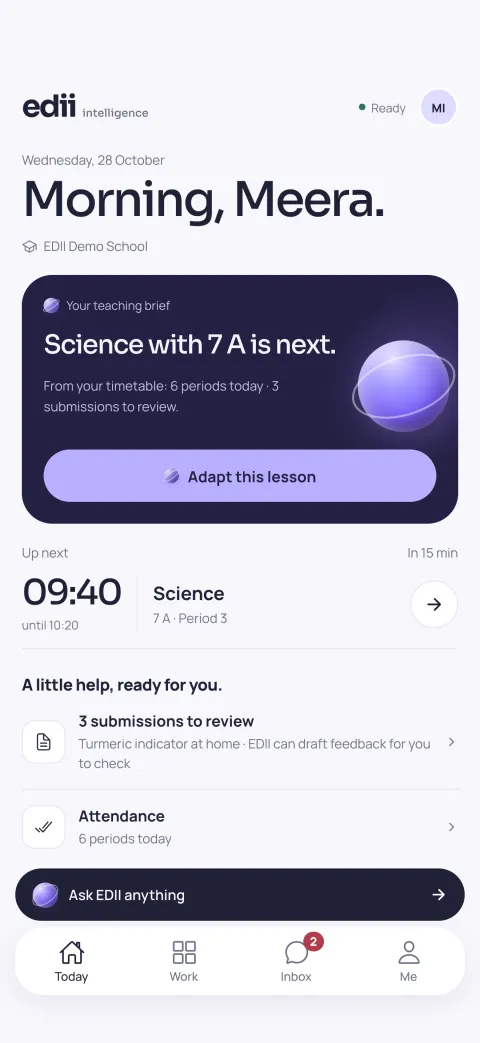
- Today: your next period and what needs you, as soon as you open the app.
- Attendance: mark the register and save it in one go.
- Homework: set work with photos or PDFs, see who has submitted and review each answer.
- Marks: enter marks, absent codes included, check that no student is missed, then publish.
- Lesson studio: adapt today’s lesson for your class, or turn it into a worksheet that becomes homework.
For the gate
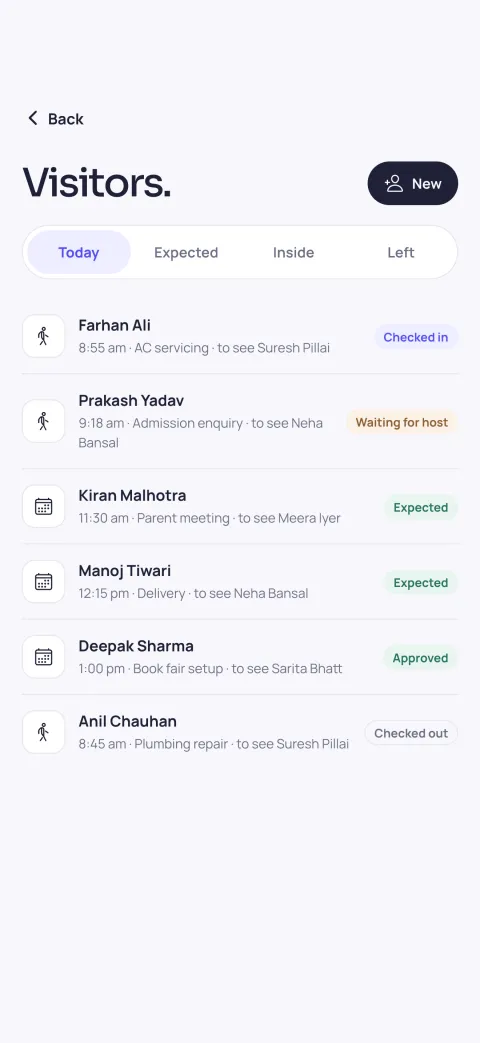
- Expected visitors and walk-ins in one list.
- The person being visited approves on their own phone before the visitor is let in.
- Confirm the visitor’s ID, issue the pass and check them out when they leave.
- Incident reports and shift handovers, organised from your rough notes.
For the library
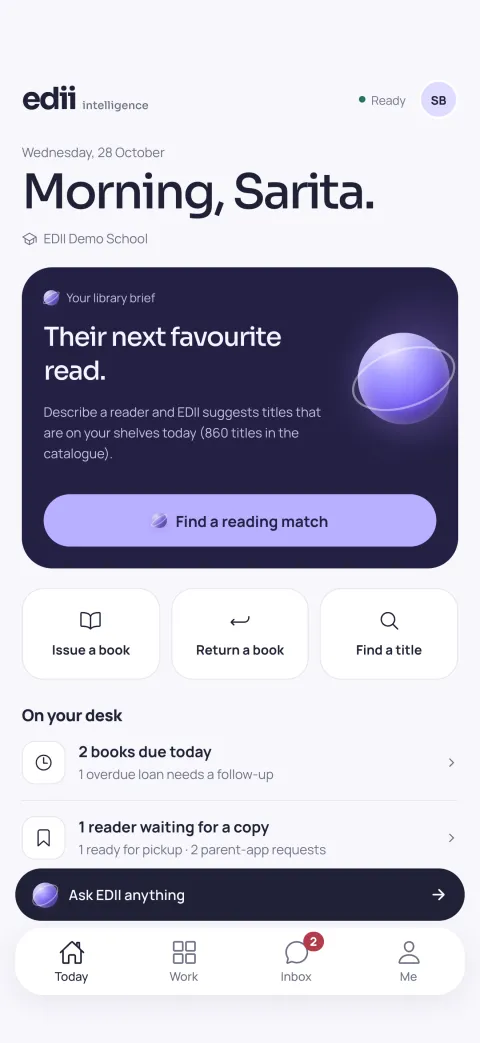
- Issue, return and renew in a few taps, with borrowing limits checked for you.
- Keep a returned book back for repair, then put it back on the shelf when it is fixed.
- Reservations, with a pickup notice when the reserved copy comes back.
- Due today, due soon and overdue lists, with reminders in English or Hindi.
For the office
Create and approve student exit passes with the guardian, the reason and the date. The guard sees the approval, checks the guardian’s ID and records the exit, and parents are told when it is recorded. The office can see when each child left, and with whom.
EDII drafts. You decide.
EDII can draft homework feedback, a lesson plan, an incident report, a shift handover or an update for parents. We built every one of those around a simple rule: the person stays in charge.
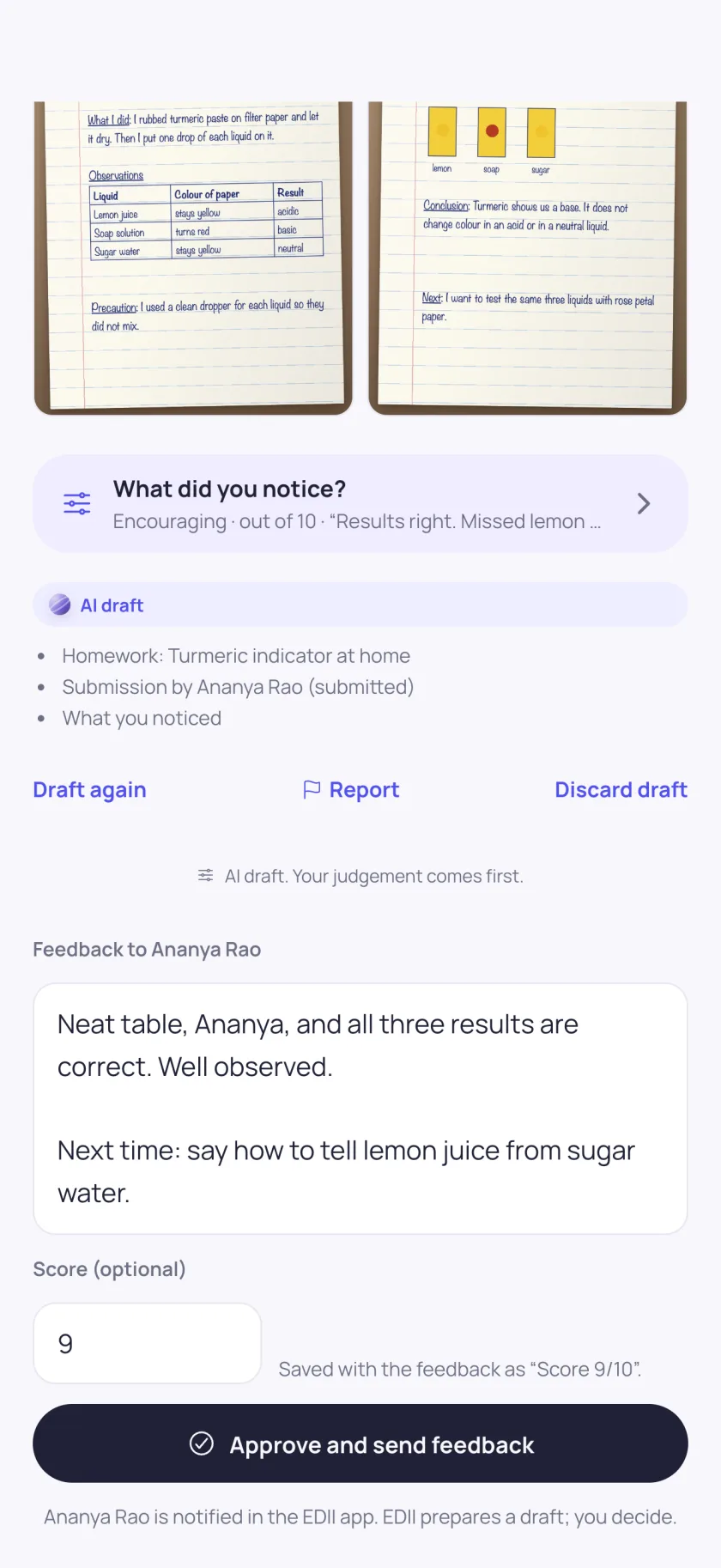
- Every draft is marked as an AI draft, in plain sight.
- It shows what it was based on: the homework, the class, the notes.
- Nothing goes out on its own. Not to students, not to parents, not into the school’s records, until a staff member confirms it.
- Every AI answer has a Report button, so anything wrong comes straight back to us.
What it does not do
EDII School shows no ads, does not track you across other apps or websites, and sends no usage analytics. At schools that use app attendance, it reads the phone’s location only at the moment you tap Punch in or Punch out. The details are in our privacy policy.
How to get it
- Download EDII School. Free on Google Play (opens in new tab) today. On the App Store for iPhone and iPad this weekend.
- Sign in with the user ID and password your school gave you. There is no sign-up: the school creates staff accounts in EDII.
- Start where you work. The app opens the workspaces your role allows. If something you need is missing, ask the school office to check your role.
One school. One app.
Teachers, the gate, the library and the office, in one app your whole staff signs in to.