 EDII
EDII
A principal's first screen should answer the morning's questions before showing a single chart. That is the idea behind the New Dashboard on the web and the EdiiAdmin app on the phone.
In one line
Open EDII and see the school as it stands right now, with every decision that needs you gathered in one list and a button that settles each one.
The New Dashboard, on the web
Open it from the sidebar or the "Try the new dashboard" button. It opens on today: attendance, what has been collected so far, what is still to collect and who is on duty, with two progress bars at the top. One shows where "now" sits between the first bell and dispersal, the other how much of the session's fees are in.
- Needs your attention. Teachers absent with periods still needing a substitute, students flagged as at-risk, leave requests parents are waiting on, attendance nobody has marked yet, each with the button that settles it. When nothing is outstanding, it says so.
- Every module you own, on one screen. A tile for each part of EDII the school has switched on, with a live figure where there is one, and an "AI on duty" panel for EdiiBrain, dropout prediction, Finance AI, Exam Insights and Self-Learn.
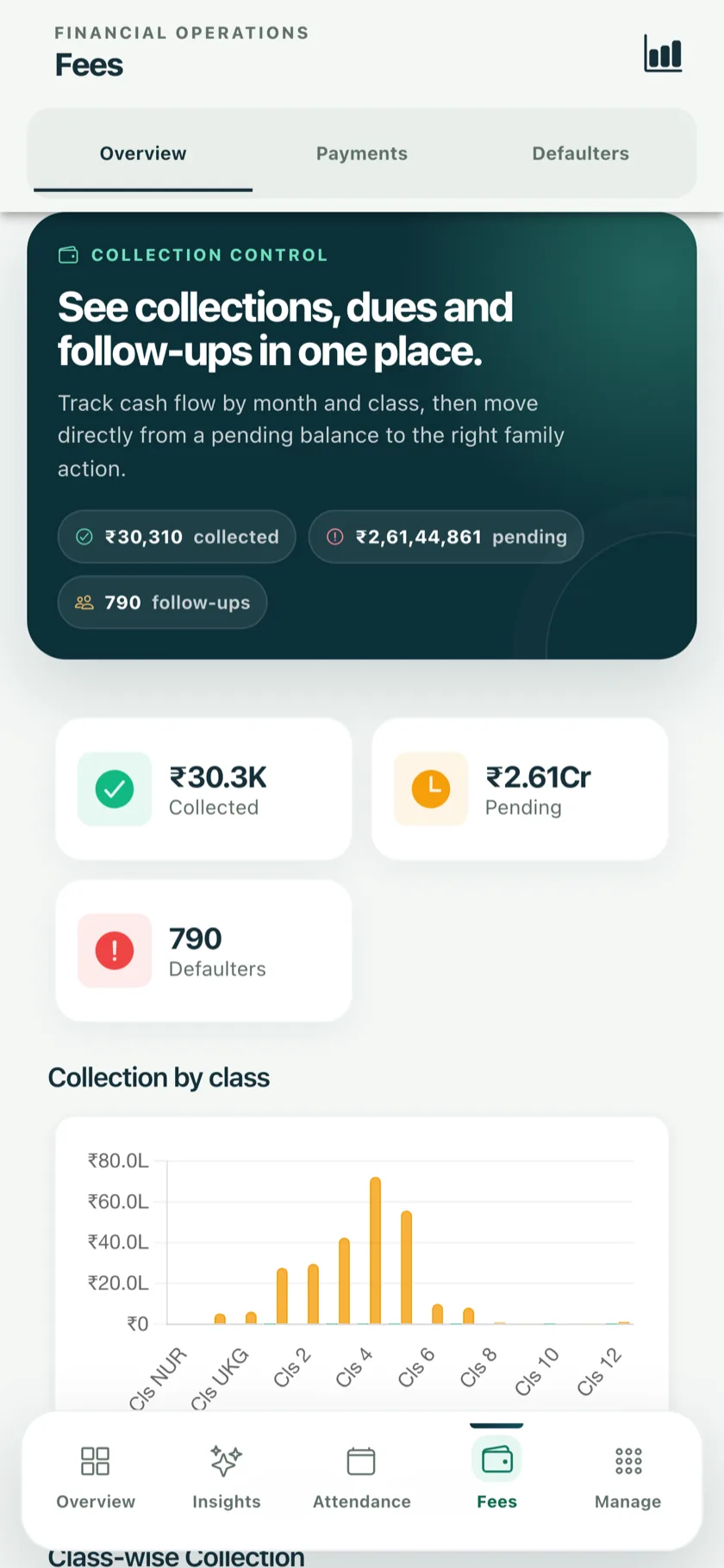
- The fee picture in four cards. Collected against spent, collected and pending, pending by class, and the largest outstanding balances.
- Your existing dashboard has not changed. The two screens link to each other; use whichever you prefer.
The same morning, on the phone
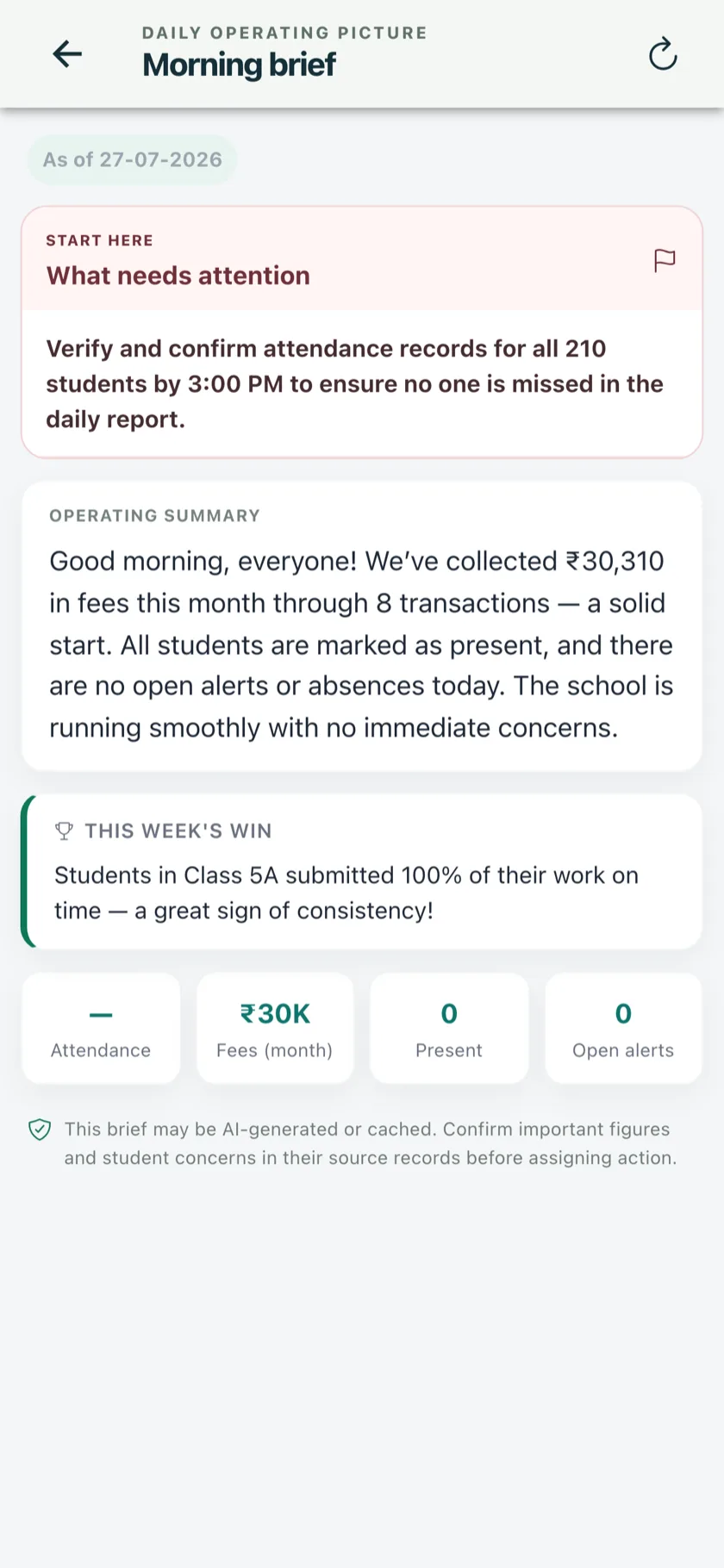
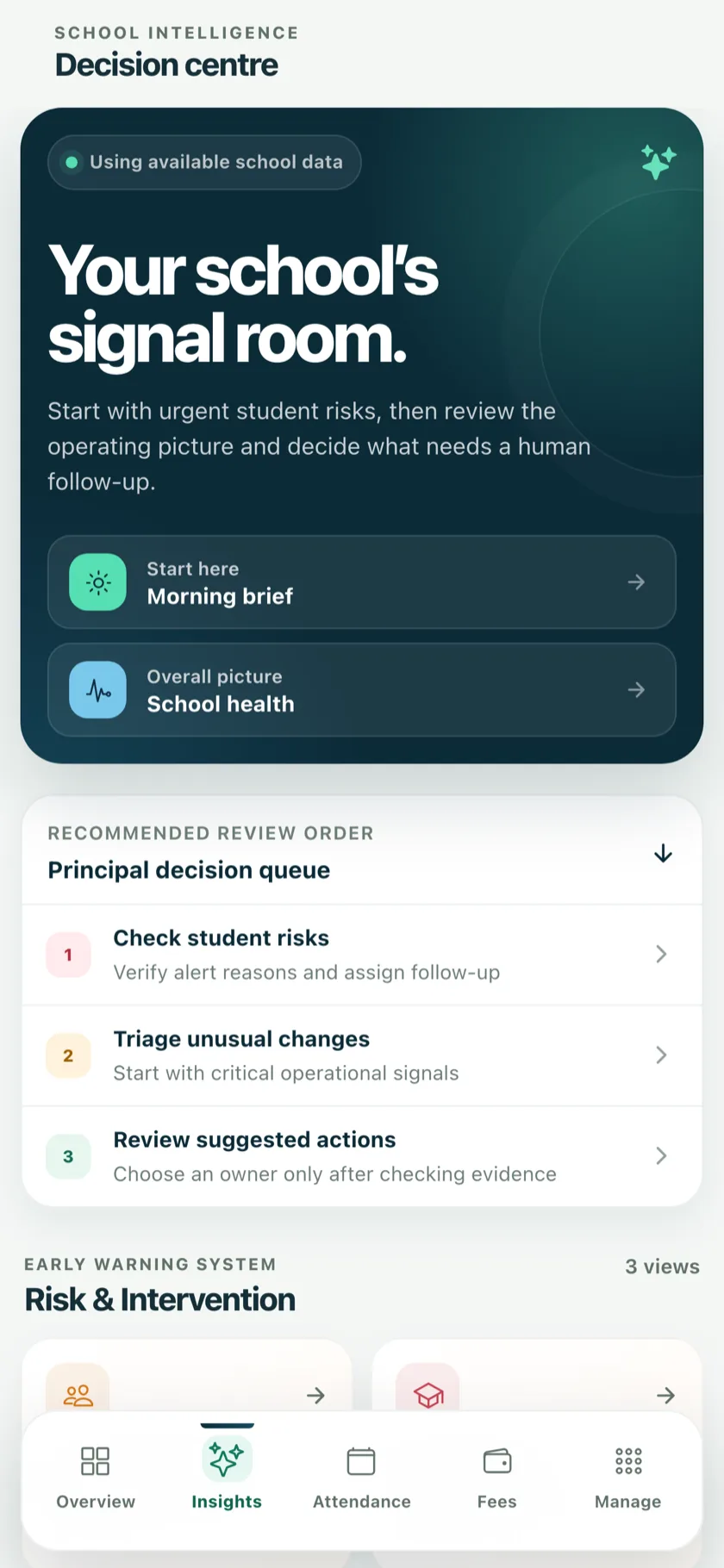
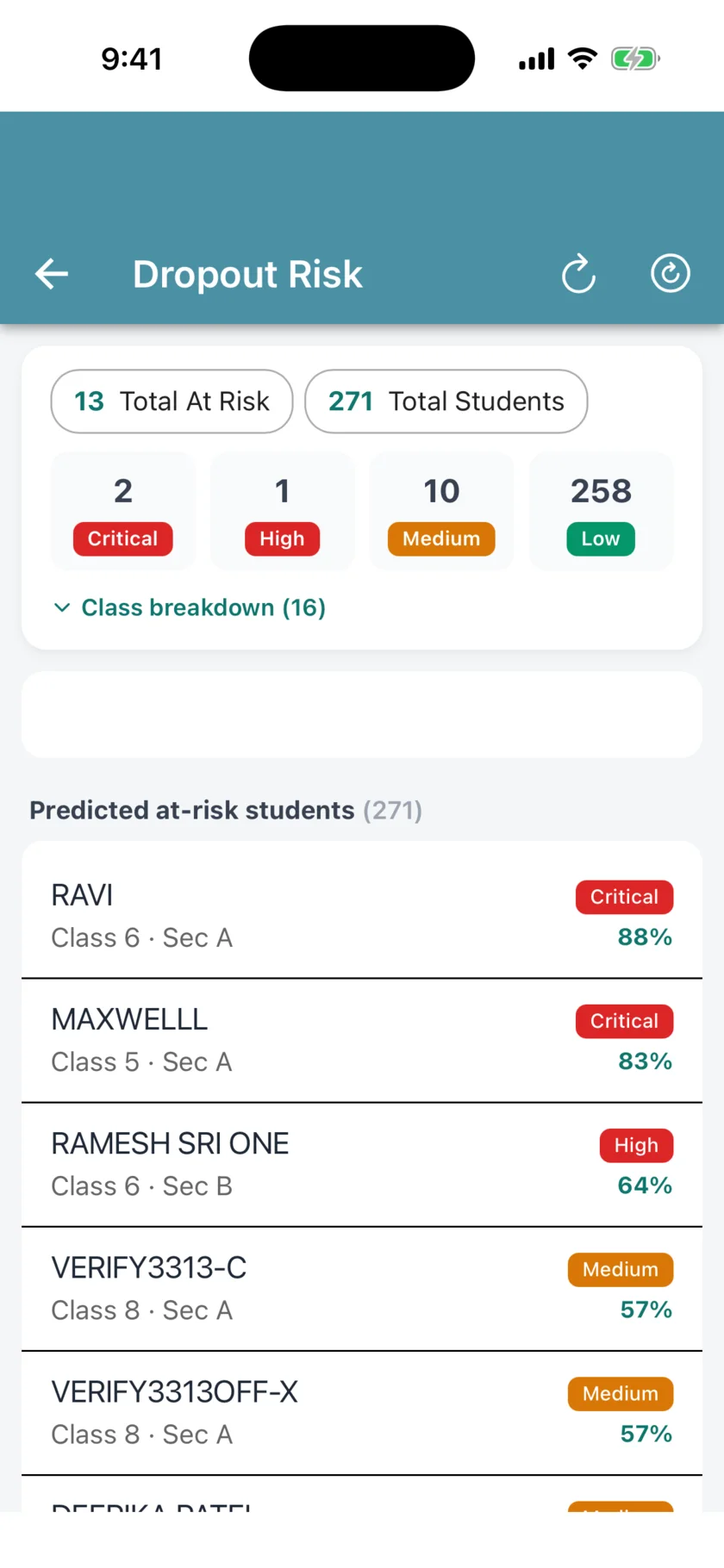
The EdiiAdmin app puts the principal's view in a pocket: a morning brief of what happened yesterday and what needs attention today, a decision centre with suggested actions, and the early-warning list of students at risk.
Exam paperwork, off the printer finished
- Hall Ticket slips. An A4 grid of name slips with cutting guides, 8 to 24 per page, roll number large enough to read across a hall.
- Consolidated Result Sheet. A row per student and a column per subject, with total, percentage, attendance and a column for the parent's signature, printed landscape under the school's letterhead.
Built from what is already recorded
None of this asks the office to enter anything new. It reads the attendance, fees, timetable and marks the school already keeps in EDII.
See your school's morning on EDII
Book a 30-minute demo on your own numbers. Setup, data migration and staff training are free.