 EDII
EDII
A lesson used to end at the classroom door. What a parent learned about it came from a line in a diary, if it came at all. This week's releases of the Student & Parent app (25.48.30) and the Teacher app (V2.9.18) close that gap, without handing the teacher a new form.
In one line
The diary entry a teacher already posts now carries the lesson itself, and the family's app turns it into something a child can act on that evening.
A Class Diary entry that carries the lesson
When a teacher posts a Class Diary entry, they can now link the chapter they taught, optionally attach practice, and link homework they have already set instead of creating it a second time. On the other side, the entry opens the matching Self-Learn explanation, the practice and the homework, so "we did fractions today" becomes something a child can revise the same evening.
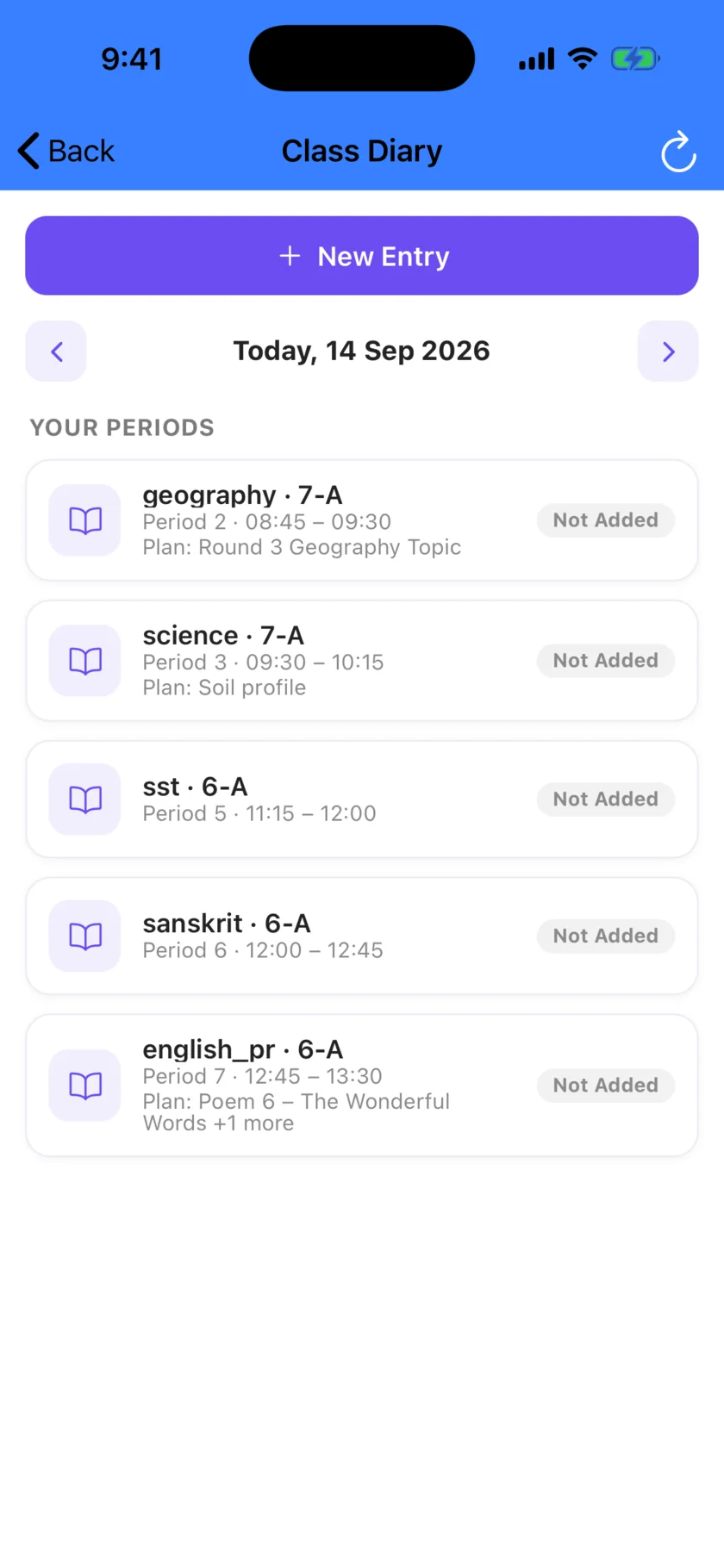
Posting got quicker too. It is now three steps: details, what was covered, then review. Above the box sit this week's teaching-plan topics for that class and subject, the last class's "Next class plan" note, and starter phrases.
- See who it reaches before you post. "Who will see this" shows how many households the entry reaches, how many parent notifications will go out, whether homework will be created or linked, and any duplicate entry for the same period. It writes nothing and sends nothing.
- Marking a topic as taught is a deliberate choice. The "Mark as taught in Teaching Plan" switch is off by default and hidden for substitute periods, so a diary entry never quietly completes a unit of the teaching plan.
Learn, guided from first page to exam day
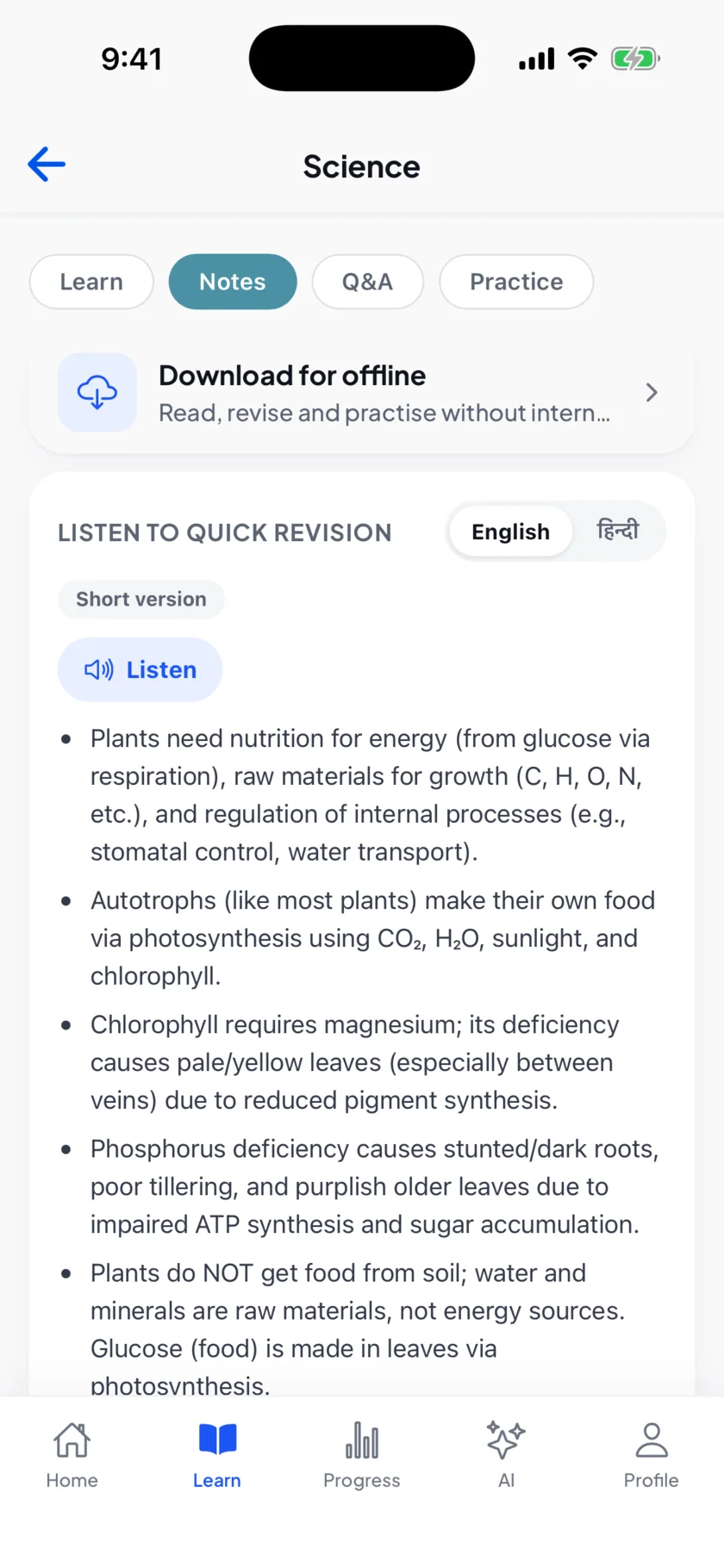
Learn now walks a student through a chapter in steps, finishes with a quick revision, and lets them keep their own study cards to come back to.
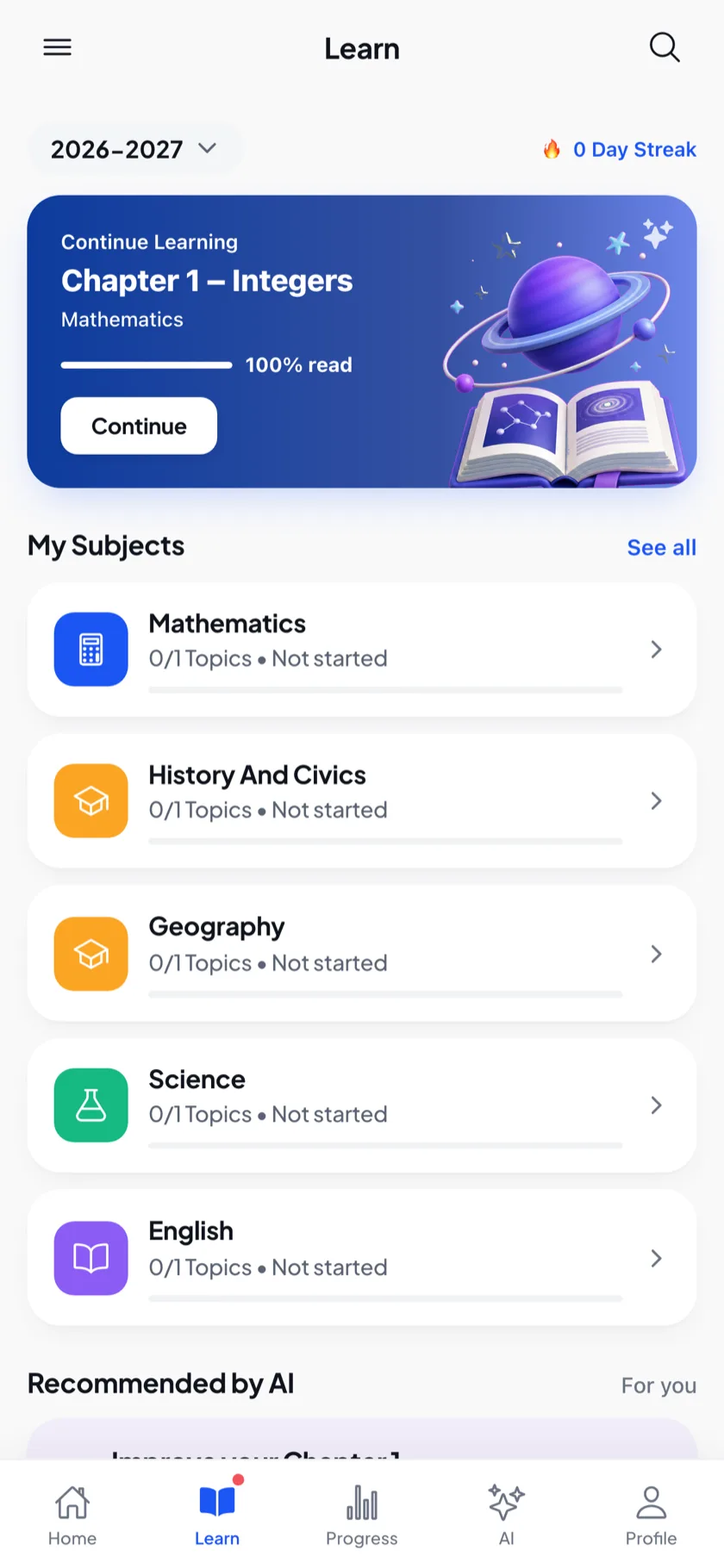
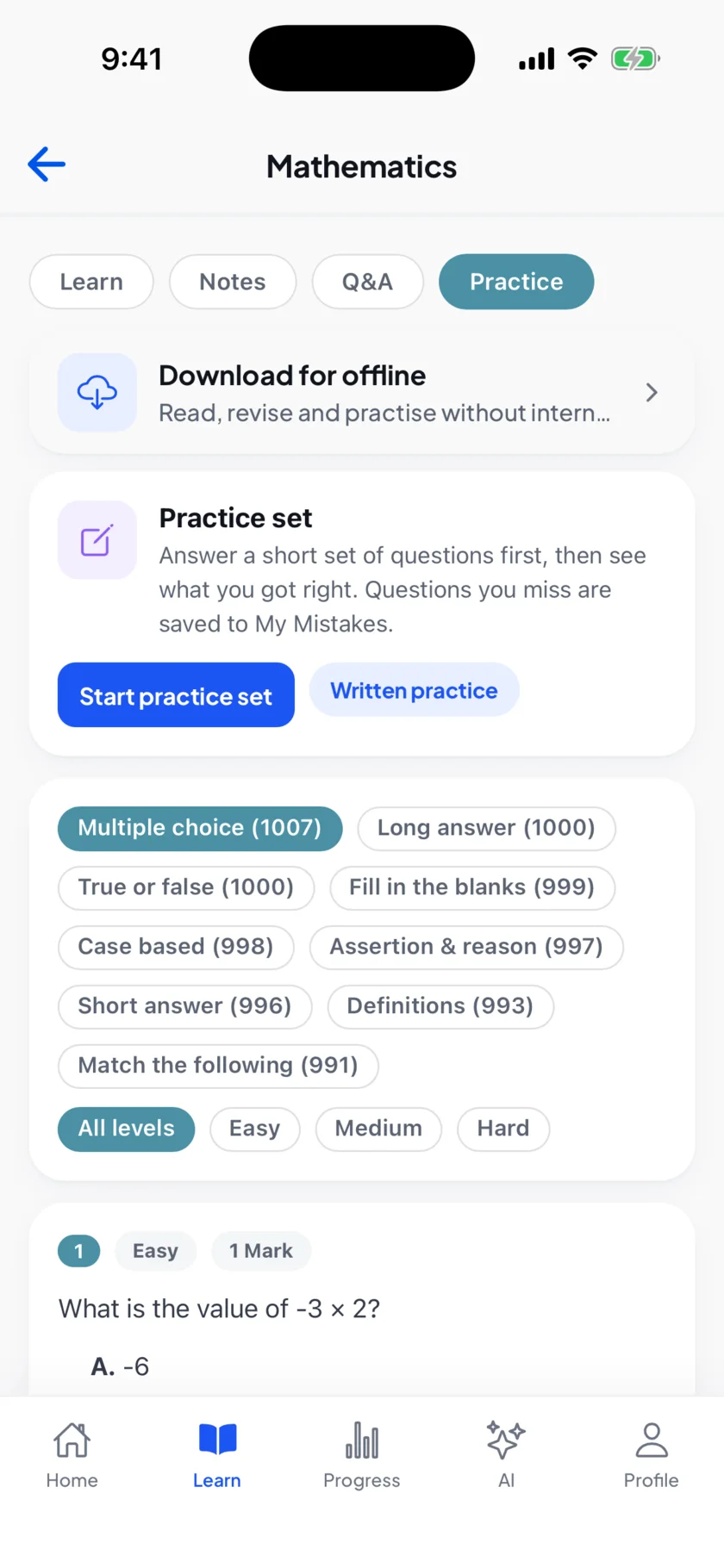
- My Mistakes. A question a student got wrong comes back on its own in guided practice, spaced out over the following days, until they have it.
- Chapters that work without internet. Download a chapter to read, revise and practise with no connection. The study done offline is sent up once the phone is back online. This works in the installed app, not in a browser.
- Exam plans a student can keep. Save a plan with a daily study-time budget, reschedule it when the week changes, and choose exactly which chapters it covers.
- Honest about what is ready. Notes and Q&A say when part of a chapter is partial, still being prepared or unavailable, and name the topics not yet covered.
Learning by doing
Teachers can set a weekly Class Challenge linked to the curriculum, with answers as photos, text or both, then accept work or return it with a comment and a recognition tag, and turn the best accepted work into a class vote or an Event. Students can teach it back, explaining part of a chapter in their own voice and seeing what they got across. Interactive activities inside selected Light and Fractions chapters are in preview while teachers complete their review.
The family's day, organised
- Today, on a redesigned Home. One list of what the family has to do today. With more than one child at the school, a sibling's item opens under the right child.
- Tomorrow's school bag. A checklist built from the timetable, exam papers and the teacher's bring-for list, plus anything the family adds.
- What you missed. After a day away, the child gets their own catch-up checklist.
- Hindi, chosen per child. School Diary notes and chapter recaps can be read in Hindi.
- My Year at School. Certificates, events, class moments and the child's own projects, collected in one place. Teachers can see it and review the work families choose to share.
Nothing new to fill in
Everything here runs on what teachers already post and what the school already records: the diary entry, the timetable, the exam schedule, the chapter packs. Some of it appears as soon as there is something behind it, such as a challenge once a teacher sets one.
See the lesson reach home in your school
Book a 30-minute demo and watch a Class Diary entry open the chapter, the practice and the homework in a parent's app.
Full release notes: week of 8 to 14 September 2026.